StitchSketchEx Mobile APK: Pattern Design for Cross Stitch & Beading
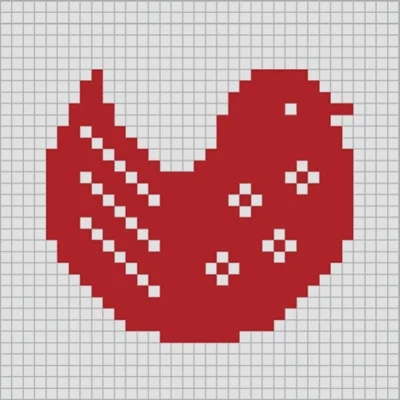
If you’re passionate about needlework, beading, or pixel art, you know that creating detailed patterns can be both time-consuming and challenging. Enter StitchSketchEx Mobile—a powerful digital charting application that revolutionizes how crafters design and organize their creative projects. Whether you’re planning an intricate cross-stitch masterpiece, designing bead weaving patterns, or creating knitting charts, StitchSketchEx Mobile provides professional-grade tools in a mobile-friendly format that puts creative power directly in your hands.
Table of Contents
Developed by the creator behind the acclaimed KG-Chart for Cross Stitch and the original StitchSketch software, this upgraded mobile version brings desktop-level functionality to your smartphone or tablet, enabling you to design patterns anywhere inspiration strikes. With support for multiple craft types and an extensive array of professional features, StitchSketchEx Mobile has become an essential tool for serious crafters and casual hobbyists alike.
What Makes StitchSketchEx Mobile Essential for Crafters?
The modern crafter demands tools that match their creative ambitions while remaining accessible and intuitive. StitchSketchEx Mobile excels in this balance, offering sophisticated pattern design capabilities without overwhelming users with unnecessary complexity. The application bridges the gap between traditional paper charting and digital convenience, providing accuracy and flexibility that paper patterns simply cannot match.
What sets this charting software apart is its versatility—it’s not limited to a single craft type. Cross-stitchers, bead weavers, knitters, iron bead enthusiasts, and pixel artists all find value in the comprehensive toolset. This multi-craft approach means you need only one application to handle diverse creative projects, simplifying your digital toolkit while expanding your creative possibilities.
Comprehensive Features That Empower Creativity
Extensive Chart Creation Capabilities
At its core, StitchSketchEx Mobile provides robust charting functionality with support for charts up to 500 x 500 cells—sufficient for even the most ambitious projects. The grid-based interface mirrors traditional graph paper but with digital advantages: perfect symmetry, easy corrections, and instant color changes that would require starting over with paper charts.
The application supports symbol-based charting, allowing you to assign specific symbols to different colors or stitch types. This feature proves particularly valuable when working with large color palettes where distinguishing between similar shades on a colored chart becomes challenging. Symbols provide clarity that color alone cannot guarantee.
Professional Color Palette Support
One of StitchSketchEx Mobile‘s standout features is its extensive color chart support. The application includes built-in palettes for industry-standard thread and bead brands:
| Craft Type | Supported Brands | Thread/Bead Count |
|---|---|---|
| Cross Stitch | DMC®, Anchor, Olympus, COSMO | 400+ colors each |
| Bead Weaving | Delica, Toho Best | 500+ colors |
| Iron Beads | Perler® Beads | Standard palette |
| Knitting | Generic + Symbol Support | Customizable |
This built-in palette support eliminates the guesswork when matching digital designs to physical materials. When you select a DMC thread color in your pattern, you know exactly which skein to purchase from your local craft store, streamlining the transition from digital design to physical creation.
Vector Drawing Tools for Advanced Techniques
Beyond basic grid charting, the application includes vector drawing capabilities that enable advanced stitching techniques. Backstitching—the outlining technique that adds definition to cross-stitch designs—can be precisely planned using vector lines that overlay your chart. Fractional stitches (quarter and three-quarter stitches) allow for more detailed, organic shapes in your designs.
For hardanger embroidery enthusiasts, dedicated tools support this intricate drawn thread work style. These specialized features demonstrate the application’s commitment to serving serious craftspeople who demand professional-level precision in their pattern planning.
Versatile Drawing Tools
Creating patterns requires diverse drawing approaches depending on your design goals. StitchSketchEx Mobile provides a comprehensive toolkit:
- Pencil Tool: Perfect for freehand drawing and detailed work, placing symbols or colors cell by cell
- Rectangle Tool: Quickly create borders, backgrounds, or geometric elements
- Ellipse Tool: Design circular and oval shapes with precision
- Flood Fill: Instantly fill enclosed areas with selected colors or patterns
- Text Tool: Add lettering to your designs with customizable fonts and sizes
These tools work together seamlessly, allowing you to combine techniques within a single project. Start with text for a monogram, add geometric borders with rectangles, fill backgrounds with flood fill, and refine details with the pencil tool—all without switching applications.
For crafters who also work with photo editing and manipulation, combining StitchSketchEx Mobile with comprehensive editing tools like Picsart AI Photo Editor creates a powerful workflow for preparing source images before conversion to patterns.
Selection and Transformation Tools
Professional pattern design often requires repositioning, duplicating, or transforming design elements. The selection tool in StitchSketchEx Mobile enables you to select portions of your chart and perform various operations:
- Cut/Copy/Paste: Move design elements or create duplicates
- Rotate: Turn selected areas in 90-degree increments
- Flip: Create mirror images horizontally or vertically
- Stamp: Repeatedly place copied elements for pattern repetition
These transformation tools accelerate pattern creation, particularly when designing symmetrical or repetitive motifs common in traditional needlework patterns.
Photo-to-Pattern Conversion: Bridging Digital and Handcraft
Perhaps one of StitchSketchEx Mobile‘s most impressive features is its ability to convert photographs into chartable patterns. This functionality opens creative possibilities that traditional charting methods cannot approach—transforming family photos, beloved pets, favorite landscapes, or any image into a workable craft pattern.
The conversion process analyzes your photo and translates it into a grid-based chart using your selected color palette. You can control the level of detail, color count, and chart dimensions to match your project requirements and skill level. This feature particularly benefits crafters who want to create personalized gifts or memorialize special moments through handwork.
The photo conversion tool works intelligently, recognizing that not all colors in a photograph need representation in the final pattern. It consolidates similar hues and suggests optimal color palettes that balance detail with workability. For best results, start with high-contrast images that have clear focal points—these convert more successfully into recognizable patterns than busy, complex photographs.
Users who frequently work with photographs might also appreciate exploring advanced image editing capabilities in applications like Adobe Acrobat Reader for organizing reference materials and pattern PDFs in a coordinated digital library.
Specialized Cell Types for Diverse Crafts
Different craft types require different grid structures, and StitchSketchEx Mobile accommodates this diversity through specialized cell shapes:
Rectangular Cells
Standard cross-stitch uses square cells, but many needlework techniques benefit from rectangular grids. Knitting patterns, for instance, often use rectangular cells because stitches aren’t perfectly square—they’re typically wider than they are tall. The application allows you to set custom cell dimensions that match your specific craft requirements.
Peyote Stitch Layout
Bead weavers working in peyote stitch require offset grid patterns where alternating rows are shifted. StitchSketchEx Mobile provides dedicated peyote cell layouts that correctly represent how beads actually sit in this popular weaving technique. This specialized grid prevents the confusion that occurs when trying to adapt square-grid patterns to offset bead arrangements.
Brick Stitch Configuration
Similar to peyote but with a different offset pattern, brick stitch creates a distinctive structural look in beadwork. The application supports this layout as well, ensuring your digital chart accurately represents how beads will physically align in the completed piece.
These specialized cell types demonstrate the application’s deep understanding of various craft techniques, providing functionality that general-purpose drawing programs cannot replicate.
Knitting Pattern Design with Symbolic Notation
Knitters have unique charting needs that differ from cross-stitch or beadwork. StitchSketchEx Mobile includes support for Japanese knitting symbols (Amizu Kigou conforming to JIS standards), allowing designers to create technical knitting charts that communicate stitch types through standardized symbols.
This feature enables the creation of complex colorwork patterns, cable charts, lace designs, and textured stitch patterns using internationally recognized notation. Whether you’re designing traditional Fair Isle patterns or modern geometric knits, the symbol library provides the vocabulary needed to communicate your vision clearly to other knitters.
For crafters interested in expanding their creative toolkit beyond pattern design, exploring comprehensive creative applications like Infinite Design can provide complementary vector design capabilities that integrate well with craft project planning.
PDF Generation for Sharing and Printing
Once you’ve completed your pattern design, StitchSketchEx Mobile generates professional PDF files suitable for printing or digital sharing. This export functionality proves essential for several scenarios:
- Personal Use: Print patterns to work from, with or without color guides
- Instruction Creation: Generate patterns with legends for teaching classes or workshops
- Pattern Sales: Create professional-looking charts for commercial pattern distribution
- Collaboration: Share designs with stitching friends or online crafting communities
The PDF generation includes customizable options for page layout, legend placement, color keys, and grid sizing. You can create compact patterns for small projects or multi-page layouts for large, complex designs. This flexibility ensures your final output matches your specific needs, whether you’re creating a simple bookmark pattern or a full-sized tapestry chart.
Chart Organization and File Management
Serious crafters accumulate extensive pattern libraries over time. StitchSketchEx Mobile addresses organization through thumbnail-based chart management that lets you visually browse your collection. Quickly locate specific patterns without opening each file individually—the thumbnail view provides instant recognition of your designs.
The application also maintains backward compatibility with legacy file formats, including charts created in the original KG-Chart software (.sth/.sthbw files) and StitchSketch (.sthmb files). This compatibility protects your investment in existing pattern libraries, allowing seamless migration to the mobile platform without losing access to previous work.
For crafters maintaining extensive digital libraries across multiple applications, implementing organizational systems similar to those used in file management tools can prove beneficial. While StitchSketchEx Mobile handles pattern files internally, coordinating with general file managers helps maintain overall digital organization.
Practical Applications Across Craft Types
Cross Stitch Enthusiasts
Cross-stitchers represent the largest user base for digital charting software, and StitchSketchEx Mobile serves them exceptionally well. From simple samplers to complex pictorial designs, the application handles projects of all complexity levels. The symbol-based charting prevents the eye strain that comes from distinguishing between dozens of similar thread colors on traditional color-only charts.
The backstitch overlay feature proves particularly valuable for cross-stitch, as outlining adds crucial definition to designs. Planning these outlines digitally prevents the common mistake of adding backstitching that fights against rather than enhances the underlying cross-stitch work.
Bead Weaving Projects
Bead artists appreciate the specialized grid layouts that accurately represent peyote and brick stitch patterns. The Delica and Toho bead palettes ensure accurate color matching, critical when working with the subtle color variations available in quality seed beads. The ability to visualize complete designs before purchasing beads saves money and prevents frustrating mid-project supply issues.
Iron Bead Creations
The iron bead crafting community—particularly popular among younger crafters and those creating pixel art—finds StitchSketchEx Mobile ideal for planning designs. The Perler® bead palette matches standard bead colors, and the grid interface perfectly represents how beads will actually arrange on pegboards. The photo conversion feature enables creative translation of favorite characters or scenes into bead-able formats.
Knitting Pattern Design
Knitters designing colorwork patterns benefit from the rectangular cell options that account for stitch proportions. The Japanese knitting symbol support opens doors to technical chart creation, enabling communication of complex stitch patterns that would be difficult to describe in written instructions alone. Color knitting charts for Fair Isle, stranded colorwork, or intarsia designs can be visualized completely before casting on.
For knitters who also enjoy exploring related craft planning tools, considering organizational applications like Penly: Digital Planner & Notes can help coordinate project timelines, material lists, and design notes in complement to your pattern charts.
Tips for Maximizing StitchSketchEx Mobile
Start with Clear Design Intent
Before diving into the application, clarify your project goals. Consider:
- Finished Size: How large should the completed piece be?
- Detail Level: How intricate is your design?
- Color Complexity: How many colors can you reasonably manage?
- Skill Level: Does the pattern match your technical abilities?
Answering these questions informs your chart settings and ensures the final pattern aligns with practical execution capabilities.
Use Layers Strategically
While the application doesn’t use traditional layers like photo editing software, you can work strategically by:
- Establishing backgrounds first with fill tools
- Adding main design elements next
- Incorporating borders and frames
- Finalizing with backstitching or detail work
This methodical approach prevents accidentally overwriting important design elements and creates a logical workflow that’s easy to follow.
Test Photo Conversions
When converting photographs to patterns, experiment with different settings:
- Color Count: Fewer colors create simpler patterns but may lose detail
- Chart Size: Larger grids capture more detail but increase project time
- Palette Selection: Different thread/bead brands may yield better color matches
Don’t commit to your first conversion attempt—try multiple variations to find the optimal balance between visual accuracy and practical workability.
Save Variations
The ability to save multiple versions costs nothing digitally but provides valuable insurance. Save milestone versions as you develop complex patterns, creating restore points if later changes don’t work out. This practice prevents losing hours of work to an unfortunate design decision.
Integration with Your Creative Ecosystem
StitchSketchEx Mobile functions powerfully as a standalone application, but it truly shines when integrated into a broader creative toolkit. Cross-platform compatibility means patterns created on your mobile device remain accessible if you later decide to work on desktop versions of the software.
For crafters who document their work-in-progress or create project tutorials, combining pattern creation with video documentation tools enhances your ability to share knowledge with the crafting community. Applications like CapCut enable you to create engaging tutorial videos that showcase both your finished patterns and your creative process.
Learning Resources and Community
While StitchSketchEx Mobile provides intuitive tools, investing time in learning advanced features pays dividends in creative capability. The application inherits decades of refinement from its desktop predecessors, incorporating feedback from thousands of crafters worldwide. This accumulated wisdom manifests in thoughtful feature design that anticipates actual crafting needs.
Online crafting communities—forums, social media groups, and video platforms—offer extensive resources for pattern design techniques. Engaging with these communities provides inspiration, troubleshooting help, and opportunities to share your own creations. The collective knowledge of experienced crafters accelerates your learning curve dramatically.
Making the Investment Decision
For serious crafters, StitchSketchEx Mobile represents a professional tool worthy of investment. The application price point reflects its specialized functionality and professional-grade features—this isn’t a casual doodling app but rather a comprehensive pattern design system.
Consider the investment against the cost of purchasing commercial patterns. If you frequently buy charts, designing your own quickly justifies the application cost. Additionally, the ability to customize patterns to your exact preferences—adjusting colors to your thread stash, modifying dimensions to fit specific frames, or personalizing designs with names or dates—provides value that purchased patterns cannot match.
For designers who create patterns for sale, the professional PDF output capabilities enable commercial-quality chart production, potentially transforming a hobby into an income stream. The application’s output rivals professionally published patterns, opening doors to pattern design as a craft-based business opportunity.
Troubleshooting Common Challenges
Pattern Complexity Management
Beginners sometimes create overly ambitious first projects that become overwhelming. Start modestly with smaller charts and limited color palettes. Build skills progressively—master basic techniques before attempting complex photo conversions or intricate multi-color designs.
Color Selection Difficulties
With hundreds of thread or bead colors available, choice paralysis is real. Use the application’s palette tools to limit visible options to color families relevant to your current project. This focused approach simplifies decision-making and creates more cohesive final designs.
Export and Printing Issues
Ensure your PDF settings match your printing capabilities before generating final charts. Test print small sections to verify legibility at your chosen grid size. Symbols should be clearly distinguishable, and color legends should be readable—adjust settings as needed before printing large, complex charts.
The Future of Digital Craft Planning
As mobile devices grow more powerful and touch interfaces more sophisticated, applications like StitchSketchEx Mobile will continue evolving. Potential future developments might include:
- Cloud Synchronization: Seamless pattern access across all devices
- Augmented Reality Features: Visualize finished pieces in physical spaces
- AI-Assisted Design: Intelligent suggestions for color combinations or pattern completion
- Social Integration: Built-in sharing to crafting communities
- Material Cost Calculators: Automatic estimation of thread/bead requirements and costs
The trajectory points toward increasingly integrated creative ecosystems where digital planning and physical crafting work in harmony, each enhancing the other.
Conclusion: Empowering Handcraft Through Technology
StitchSketchEx Mobile exemplifies how technology can enhance rather than replace traditional crafts. By providing professional pattern design capabilities in a mobile format, the application empowers crafters to explore creative visions that would be impractical with traditional charting methods. The combination of multi-craft support, professional color palettes, sophisticated drawing tools, and photo conversion capabilities creates a comprehensive solution for modern needleworkers.
Whether you’re planning a cross-stitch sampler, designing intricate bead jewelry, creating knitting charts, or exploring pixel art through iron beads, this application provides the tools needed to translate creative vision into actionable patterns. The investment in learning the software pays ongoing dividends through every project you design, customize, and complete.
For crafters seeking to elevate their work from following published patterns to creating original designs, StitchSketchEx Mobile represents an essential tool that bridges traditional handcraft with modern digital capabilities. Your smartphone or tablet becomes a portable design studio, ready to capture inspiration and transform it into workable patterns wherever creativity strikes.
Frequently Asked Questions
Q: What’s the maximum pattern size I can create in StitchSketchEx Mobile, and is that sufficient for large projects?
A: StitchSketchEx Mobile supports chart sizes up to 500 x 500 cells, which accommodates the vast majority of craft projects. For context, a 500 x 500 cross-stitch pattern on 14-count aida fabric would create a piece approximately 36 x 36 inches (91 x 91 cm)—far larger than most crafters typically attempt. Most samplers range from 100-200 stitches per side, making the 500-cell maximum more than adequate for standard projects. Large pictorial designs, full-coverage tapestries, and even ambitious bead weaving pieces fit comfortably within these dimensions. Only the most extreme projects (like full-sized blankets or wall hangings) might approach this limit, and those rare cases usually benefit from being broken into sections anyway for workability.
Q: Can I use my existing patterns from other software in StitchSketchEx Mobile?
A: Yes, StitchSketchEx Mobile maintains backward compatibility with several legacy file formats. If you’ve previously used KG-Chart for Cross Stitch (the desktop predecessor), you can import files saved in .sth or .sthbw formats. Files from the original StitchSketch software (.sthmb format) also load directly into the mobile version. This compatibility protects your investment in existing pattern libraries and enables seamless transition to the mobile platform without starting over. However, patterns created in competing software using proprietary formats may not import directly—in those cases, you might need to recreate patterns or work from printed versions. The PDF export feature also means you can save your StitchSketchEx Mobile patterns in a universal format accessible to anyone, even without specialized software.
Q: How does the photo-to-pattern conversion feature work, and what types of images convert best?
A: The photo conversion feature analyzes uploaded images and translates them into grid-based charts using your selected color palette and chart dimensions. The algorithm evaluates each pixel area and assigns the closest matching thread or bead color from your chosen palette, effectively “pixelating” your image into a workable craft pattern. For optimal results, use high-contrast images with clear subjects and minimal background complexity—portraits with solid backgrounds, silhouettes, simple landscapes, or graphic images convert more successfully than busy photographs with intricate detail. The conversion process allows you to control color count (fewer colors create simpler patterns) and chart dimensions (larger grids capture more detail). Expect to perform some manual cleanup after conversion, as no automated system perfectly interprets artistic intent. The feature works best as a starting point that you then refine using the application’s editing tools to create your final pattern. Experimenting with different source images and settings helps you understand what works best for your specific craft type and skill level.
📥 Download StitchSketchEx Mobile APK Latest Version (Premium Unlocked)
Note: This version is safe. You can scan it yourself via VirusTotal.