LightMeter APK: Pro Film Exposure Meter, Incident & Reflected for Android
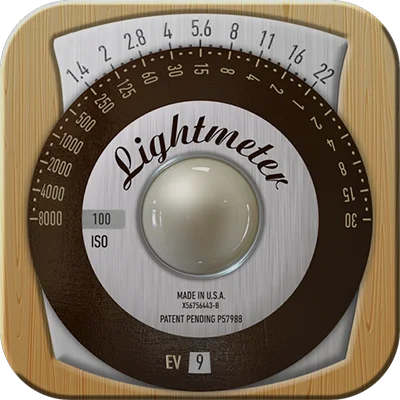
In the world of film and analog photography, achieving perfect exposure is both an art and a science. Enter LightMeter, the Android application that transforms your smartphone into a precision exposure measurement tool. Whether you’re a seasoned film photographer or just beginning your analog journey, this LightMeter app offers the accuracy and simplicity you need to capture perfectly exposed images every single time. With its intuitive design and powerful metering capabilities, this application has become an essential tool for photographers who demand reliability without breaking the bank.
Table of Contents
Understanding the LightMeter App: Your Pocket Photography Assistant
LightMeter is more than just another camera utility—it’s a sophisticated exposure measuring tool designed specifically for photographers who shoot with film cameras, manual digital cameras, or any camera system requiring external light reading. The app leverages your smartphone’s built-in sensors to measure ambient light levels and calculate optimal camera settings, effectively replacing expensive handheld light meters that can cost hundreds of dollars.
What sets this application apart is its elegant simplicity combined with professional-grade accuracy. Unlike overly complicated metering apps that overwhelm users with unnecessary features, LightMeter focuses on what matters most: giving you precise, reliable exposure readings quickly and efficiently.
Core Features That Make LightMeter Essential
Comprehensive Metering Capabilities
The app offers two distinct metering modes to suit different shooting scenarios:
Incident Light Metering
- Measures light falling on the subject
- Requires device light sensor
- Ideal for studio and controlled lighting situations
- Provides consistent readings regardless of subject reflectivity
Reflected Light Metering
- Measures light reflecting from the subject
- Utilizes smartphone camera
- Perfect for outdoor and natural light photography
- Offers spot metering precision
Extensive ISO Range Support
| ISO Range | Use Case | Photography Type |
|---|---|---|
| 3-25 | Ultra-low speed film | Long exposure, artistic photography |
| 50-100 | Standard film stocks | General purpose, portraits |
| 200-400 | Versatile range | All-around shooting, street photography |
| 800-1600 | Fast film | Low light, action photography |
| 3200-6400 | High-speed film | Extreme low light, concert photography |
The LightMeter application supports an impressive ISO range from 3 to 6400, accommodating virtually every film stock on the market—from ultra-slow large format films to high-speed documentary stocks.
Another great alternative is SkyView® Explore the Universe, which provides augmented reality tools to measure and explore celestial objects, combining precision and interactivity.
Intuitive Analog-Style Interface
One of the most praised features is the app’s analog calculator dial interface, reminiscent of classic Weston meters. This design choice isn’t merely aesthetic—it provides an intuitive way to visualize exposure relationships and equivalent exposures. Photographers familiar with traditional light meters will feel right at home, while newcomers benefit from the logical, visual representation of exposure values.
Practical Features for Field Use
- Low Light Alert: Warns when lighting conditions fall below optimal metering range
- Silent Operation: Camera shutter can be muted for discreet metering
- Quick Response: Real-time readings update instantly as lighting changes
- Battery Efficient: Minimal power consumption for all-day shooting sessions
How to Use LightMeter for Perfect Exposures
Step-by-Step Metering Process
- Select Your ISO: Input the film speed or digital ISO you’re using
- Choose Metering Mode: Select incident or reflected metering based on your situation
- Point and Measure: Aim your device at the subject or toward the light source
- Read Results: The app displays recommended shutter speed and aperture combinations
- Set Camera: Transfer the exposure settings to your camera
- Shoot Confidently: Capture perfectly exposed images
Pro Tips for Accurate Readings
For Reflected Metering:
- Meter from the most important area of your composition
- Consider the tonal range of your subject
- Use spot metering for high-contrast scenes
- Take multiple readings and average for complex lighting
For Incident Metering:
- Position your phone at the subject location
- Point the sensor toward the camera position
- Ensure the sensor isn’t in shadow
- Use this method for consistent, accurate portraits
Understanding Exposure Triangle Integration
The LightMeter app excels at helping photographers understand the fundamental relationship between ISO, aperture, and shutter speed—the exposure triangle. By displaying multiple equivalent exposures, the app educates while it meters, helping you make creative decisions based on your artistic vision.
Equivalent Exposure Examples
When the meter suggests f/8 at 1/125s, you can instantly see alternatives:
- f/5.6 at 1/250s (shallower depth of field, freezes motion better)
- f/11 at 1/60s (greater depth of field, slight motion blur risk)
- f/16 at 1/30s (maximum depth of field, requires steady hands or tripod)
This flexibility empowers photographers to prioritize depth of field, motion control, or safety margin based on their creative intent.
Real-World Performance and Reliability
User experiences with LightMeter reveal consistent themes of reliability and intuitive operation. Photographers report successfully shooting entire vacations on film with minimal exposure errors, even with basic photography knowledge. The app’s simplicity proves to be its greatest strength—there’s no complicated menu system to navigate, no excessive features to distract from the core function of accurate light metering.
However, it’s important to note that some users on newer phone models (particularly Pixel 6 and later) have reported calibration differences requiring ISO compensation. This highlights an important truth about smartphone-based metering: sensor variations between devices can affect accuracy. The solution is simple—conduct exposure tests with your specific device and film combination, then adjust the ISO setting accordingly.
Comparing Light Metering Solutions
LightMeter vs. Hardware Meters
| Feature | LightMeter App | Hardware Meter |
|---|---|---|
| Cost | Under $5 | $150-$500+ |
| Portability | Always with you | Extra item to carry |
| Durability | Protected by phone | Dedicated rugged design |
| Learning Curve | Intuitive | Can be complex |
| Updates | Regular app updates | Fixed functionality |
The app provides exceptional value, delivering professional metering capability at a fraction of the cost of traditional handheld meters.
Expanding Your Photography Toolkit
While the LightMeter app handles exposure measurement brilliantly, serious photographers often benefit from complementing their toolkit with specialized applications that enhance other aspects of their workflow.
For photographers who also work with digital video or need advanced manual camera control, FL STUDIO MOBILE offers creative possibilities beyond still photography. While primarily known as a music production app, its precision timing capabilities and audio synchronization features make it valuable for multimedia projects that combine photography with sound design.
Those seeking to enhance their smartphone photography directly should explore Audio Evolution Mobile Studio, which, despite its audio-focused name, demonstrates how professional mobile applications can deliver desktop-grade functionality. This parallel mirrors how LightMeter brings professional light metering to your pocket—proving that mobile apps can genuinely replace dedicated hardware when designed with precision and user experience in mind.
Optimizing Your Metering Workflow
Calibration and Consistency
For best results with the LightMeter application:
Initial Calibration:
- Shoot a test roll with bracketed exposures
- Note which exposures are most accurate
- Adjust ISO compensation if needed
- Document your calibration for future reference
Maintaining Accuracy:
- Keep your phone’s camera lens clean
- Avoid metering through phone cases that cover sensors
- Update the app regularly for improved algorithms
- Test periodically with new film stocks
Specialized Shooting Scenarios
High Contrast Scenes:
- Take multiple spot readings
- Average highlights and shadows
- Consider intentional over/underexposure for effect
- Use incident metering when possible
Golden Hour and Low Light:
- Enable low light alert
- Use faster film or wider apertures
- Consider reciprocity failure for long exposures
- Bracket exposures for insurance
Studio and Controlled Lighting:
- Incident metering provides most accurate results
- Meter at subject position, pointing toward camera
- Account for light modifiers (diffusers, reflectors)
- Maintain consistent metering position for reproducible results
Technical Considerations and Compatibility
While LightMeter works on most Android devices, optimal performance depends on sensor quality and camera compatibility. The reflected light metering mode requires a camera with adequate light sensitivity, and older devices may show limitations in low-light scenarios.
Device Requirements:
- Android operating system
- Functional light sensor (for incident metering)
- Working camera (for reflected metering)
- Recent OS version for best performance
Best Practice Recommendations:
- Test your specific device before important shoots
- Understand your phone’s sensor limitations
- Keep backup metering methods available
- Document which metering mode works best for your device
The Economics of Digital Light Metering
The financial advantage of using LightMeter instead of purchasing a hardware meter is substantial. Professional light meters range from $150 for basic models to over $500 for advanced units. The app, available on Google Play, costs a fraction of this amount while delivering comparable accuracy for most shooting situations.
This democratization of professional tools means that beginning film photographers can invest their limited budgets in film, development, and quality lenses rather than expensive metering equipment. As skills develop and needs evolve, users can always upgrade to dedicated hardware meters, but many find the app sufficient for their entire photographic journey.
Frequently Asked Questions About LightMeter
Q: How accurate is the LightMeter app compared to professional handheld meters?
A: The LightMeter app provides remarkably accurate readings when properly calibrated to your specific device. Most users report exposure accuracy within one-third to one-half stop of dedicated hardware meters, which is more than sufficient for film photography. However, accuracy can vary between phone models due to sensor differences. The key is conducting initial test exposures with your device and adjusting the ISO compensation if needed. For critical studio work where absolute precision matters, some photographers prefer dedicated meters, but for general field photography, the app delivers professional-grade results.
Q: Does LightMeter work with both film and digital cameras?
A: Absolutely! LightMeter is completely camera-agnostic—it measures light and provides exposure recommendations that work with any camera requiring manual exposure settings. Whether you’re shooting 35mm film, medium format, large format, or a fully manual digital camera, the exposure values provided by the app translate directly to your camera settings. The app supports ISO ranges from 3 to 6400, covering virtually all film stocks and digital ISO settings. Simply input your film speed or ISO, meter the scene, and apply the recommended shutter speed and aperture to your camera.
Q: What’s the difference between incident and reflected metering modes, and which should I use?
A: Incident metering measures light falling onto the subject by using your phone’s light sensor, while reflected metering measures light bouncing off the subject using your phone’s camera. Incident metering is generally more accurate for portraits and controlled lighting situations because it’s unaffected by subject reflectivity—a white wedding dress and a black tuxedo receive the same exposure recommendation. Reflected metering excels for landscapes and situations where you can’t physically reach the subject to take an incident reading. For best results, use incident metering when possible for portraits and studio work, and switch to reflected metering for distant subjects, landscapes, or street photography.
Additionally, photographers interested in comprehensive creative control might appreciate CapCut for post-production work. Just as LightMeter ensures proper exposure during capture, CapCut provides the editing tools necessary to refine and present your photographic work through video storytelling and visual presentations.
Maximizing Your Photography Success with LightMeter
The journey to mastering exposure is one of photography’s most rewarding learning experiences. LightMeter accelerates this learning process by providing immediate, accurate feedback while teaching the fundamental relationships between aperture, shutter speed, and ISO. Unlike automated camera systems that make decisions for you, manual metering with this app develops your understanding of light and exposure in a tangible, educational way.
Building Your Metering Confidence
Start with simple, evenly-lit scenes to build confidence in the app’s readings. As you compare your metered exposures with actual results, you’ll develop an intuitive sense for light that no automated system can teach. This knowledge becomes invaluable when shooting in challenging conditions or when making creative exposure decisions.
The Creative Freedom of Manual Exposure
Understanding and controlling exposure manually opens creative possibilities impossible with automated systems. Intentional overexposure for high-key effects, underexposure for dramatic mood, or precise control of highlight and shadow detail—these become tools in your creative arsenal rather than mysterious camera functions.
Conclusion: Your Path to Exposure Mastery
The LightMeter app represents the intersection of traditional photographic technique and modern mobile technology. It proves that sophisticated professional tools don’t require expensive hardware—they require thoughtful design, accurate implementation, and user-focused functionality. For anyone serious about film photography, manual digital photography, or simply understanding exposure at a fundamental level, this application is an invaluable addition to your creative toolkit.
Whether you’re shooting your first roll of film or your thousandth, whether you’re working in controlled studio environments or unpredictable natural light, LightMeter provides the accurate, reliable metering you need to capture your vision perfectly exposed. Download the app today and take control of your photographic exposure with confidence and precision.
📥 Download LightMeter APK Latest Version (Premium Unlocked)
Note: This version is safe. You can scan it yourself via VirusTotal.