Retro Mode – Icon Pack (Neon) APK: Transform Your Android Experience
In the ever-evolving world of Android customization, finding the perfect icon pack that truly transforms your device’s aesthetic can feel like searching for a needle in a haystack. Enter Retro Mode – Icon Pack (Neon), a stunning visual overhaul that brings the vibrant, electric energy of 1980s neon aesthetics to your modern smartphone. This comprehensive guide will walk you through everything you need to know about this eye-catching icon pack, from installation to customization tips, helping you create a device interface that’s uniquely yours.
Table of Contents
What Makes Retro Mode – Icon Pack (Neon) Stand Out?
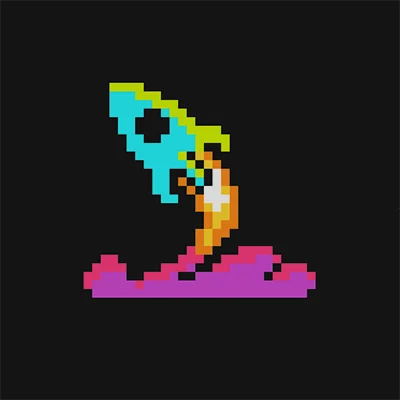
The Retro Mode – Icon Pack (Neon) isn’t just another collection of app icons—it’s a complete visual transformation that captures the essence of retro-futuristic design. Drawing inspiration from the neon-soaked streets of 1980s cyberpunk culture, this icon pack delivers a cohesive, high-quality aesthetic that breathes new life into your Android device.
What sets this icon pack apart is its meticulous attention to detail. Each icon features vibrant neon colors—electric blues, hot pinks, vivid purples, and glowing greens—all set against dark backgrounds that make the neon elements truly pop. The design philosophy embraces both nostalgia and modernity, creating a visual language that feels simultaneously retro and cutting-edge.
The pack includes thousands of meticulously crafted icons covering virtually every popular application, from social media platforms to productivity tools, games to system utilities. This extensive coverage ensures that your entire home screen maintains visual consistency, creating a polished, professional appearance that reflects your personal style.
Key Features and Specifications
Understanding what Retro Mode – Icon Pack (Neon) offers helps you make an informed decision about whether it’s the right choice for your customization needs:
Comprehensive Icon Coverage
| Feature | Details |
|---|---|
| Total Icons | 5,000+ high-quality icons |
| Resolution | 192×192 pixels with crisp, clean lines |
| Style | Neon-themed retro design with dark backgrounds |
| Updates | Regular additions based on user requests |
| Compatibility | Works with all major Android launchers |
Design Elements
The icon pack features several distinctive design characteristics:
- Neon Glow Effects: Authentic neon tube lighting effects that create depth and dimension
- Dark Backgrounds: Each icon includes a dark backdrop that enhances the neon glow
- Consistent Color Palette: Carefully curated colors that work harmoniously together
- Retro Typography: Period-appropriate fonts and design elements
- High Contrast: Optimized visibility in all lighting conditions
If you’re exploring different aesthetic directions for your Android device, you might also appreciate Monoic White Minimal Icon Pack, which offers a completely different minimalist approach that’s perfect for users who prefer clean, understated design.
Installation and Setup Guide
Getting started with Retro Mode – Icon Pack (Neon) is straightforward, but following these steps ensures optimal results:
Prerequisites
Before installing the icon pack, ensure you have:
- A compatible Android launcher (Nova Launcher, Action Launcher, Microsoft Launcher, etc.)
- Sufficient storage space (approximately 50-100MB)
- Android 5.0 or higher
Step-by-Step Installation
Step 1: Download and Install
Visit the Google Play Store and download the Retro Mode – Icon Pack (Neon). The installation process is automatic and takes just a few moments.
Step 2: Configure Your Launcher
Open your preferred launcher’s settings:
- Long-press on your home screen
- Select “Settings” or “Home Settings”
- Navigate to “Icons” or “Icon Pack”
- Choose Retro Mode – Icon Pack (Neon) from the list
Step 3: Apply the Icons
Most launchers offer automatic application, but you can also manually select icons:
- Long-press any app icon
- Tap “Edit” or the pencil icon
- Select the Retro Mode icon from the gallery
- Repeat for any icons you want to customize
Step 4: Fine-Tune Your Setup
Maximize the visual impact by:
- Choosing a dark or complementary wallpaper
- Adjusting icon size for optimal visibility
- Organizing apps by color for enhanced aesthetics
- Creating themed folders with matching icons
Customization Tips and Best Practices
To get the most out of your Retro Mode – Icon Pack (Neon) experience, consider these expert customization strategies:
Creating the Perfect Aesthetic
Wallpaper Selection: The right wallpaper makes or breaks your neon theme. Look for:
- Dark or black backgrounds that let neon colors shine
- Cyberpunk or retro-futuristic imagery
- Geometric patterns with complementary neon accents
- Subtle gradients in purple, blue, or pink tones
Widget Coordination: Many widget packs offer neon or retro-themed options. Popular choices include:
- KWGT custom widgets with neon designs
- Minimalist clock widgets with matching color schemes
- Weather widgets with retro-futuristic displays
For users who want to take their customization even further, KWGT Kustom Widget Maker provides unlimited possibilities for creating custom widgets that perfectly complement your neon icon aesthetic.
Advanced Customization Techniques
Creating Visual Hierarchy: Organize your home screen to guide the eye naturally:
- Place frequently used apps in prime positions
- Group similar apps by color intensity
- Use folders with custom neon folder icons
- Leave adequate spacing between icons for a clean look
Color Coordination Strategy: The icon pack includes various neon colors—use them strategically:
- Blue/Cyan: Communication and social apps
- Pink/Magenta: Entertainment and creative apps
- Green: Productivity and utility apps
- Purple: System and settings apps
- Orange/Yellow: Shopping and finance apps
Performance and Compatibility Considerations
Understanding how Retro Mode – Icon Pack (Neon) impacts your device helps you maintain optimal performance:
System Resource Usage
Icon packs are generally lightweight, but here’s what to expect:
- Storage Impact: 50-100MB depending on resolution settings
- RAM Usage: Minimal (5-10MB when active)
- Battery Impact: Negligible—icon packs don’t run background processes
- Loading Times: Instant icon rendering with proper launcher support
Launcher Compatibility
The icon pack works seamlessly with major Android launchers:
Fully Supported Launchers:
- Nova Launcher (Prime and Free versions)
- Action Launcher
- Microsoft Launcher
- Lawnchair Launcher
- Apex Launcher
- ADW Launcher
- Smart Launcher
Limited Support:
- Stock manufacturer launchers (Samsung One UI, OnePlus OxygenOS)
- May require manual icon selection for each app
For a complete home screen transformation, pair your neon icons with Nova Launcher Prime, which offers the most comprehensive customization options and seamless icon pack integration.
Comparing Icon Pack Styles: Finding Your Perfect Match
While Retro Mode – Icon Pack (Neon) offers a distinct retro-futuristic aesthetic, understanding different icon pack styles helps you make the best choice:
Style Comparison Table
| Style | Best For | Aesthetic | Use Case |
|---|---|---|---|
| Neon/Retro | Bold personalities | High contrast, vibrant | Entertainment-focused users |
| Minimal | Clean interface lovers | Simple, monochrome | Productivity-focused users |
| Material Design | Modern aesthetics | Colorful, flat | Balanced everyday use |
| 3D/Realistic | Visual depth seekers | Dimensional, detailed | Gaming enthusiasts |
| Line Art | Elegant simplicity | Outlined, minimalist | Professional settings |
Users who appreciate geometric simplicity might also enjoy Outline Icons – Icon Pack, which provides a completely different aesthetic with clean, outlined designs perfect for minimalist setups.
Real-World Use Cases and User Experiences
Understanding how different users leverage Retro Mode – Icon Pack (Neon) provides practical insights:
Entertainment Enthusiasts
Gamers and media consumers particularly appreciate the neon aesthetic because it:
- Creates an immersive, game-like interface
- Makes streaming apps visually distinctive
- Enhances the excitement of entertainment hubs
- Complements gaming-focused wallpapers and themes
Creative Professionals
Designers and content creators use the pack to:
- Showcase their appreciation for retro design trends
- Create portfolio-worthy device screenshots
- Inspire creativity through visual stimulation
- Stand out in social media device showcase posts
Tech Enthusiasts
Android customization fans value the icon pack for:
- Demonstrating advanced customization skills
- Creating unique, conversation-starting device interfaces
- Exploring nostalgic design elements with modern functionality
- Building themed setups around specific aesthetics
Maintaining and Updating Your Icon Pack
Keeping your Retro Mode – Icon Pack (Neon) current ensures you always have the latest icon designs:
Update Management
The developer regularly updates the pack with:
- New icons for newly released apps
- Improvements to existing icon designs
- User-requested additions
- Bug fixes and compatibility updates
Update Best Practices:
- Enable automatic updates in Google Play Store
- Check update notes for new icon additions
- Reapply the icon pack after major updates
- Report missing icons through the app’s request feature
Requesting Missing Icons
Most icon packs, including this one, include an icon request feature:
- Open the Retro Mode app
- Navigate to “Icon Request”
- Select apps with missing custom icons
- Submit your requests (usually processed in subsequent updates)
For users who want even more customization options, Dots: Adaptive Icon Pack offers another excellent alternative with a different design philosophy focused on circular, adaptive icons.
Troubleshooting Common Issues
Even with straightforward installation, you might encounter occasional challenges:
Icons Not Applying
Solution Steps:
- Ensure you’re using a compatible launcher
- Restart your device after installation
- Reapply the icon pack through launcher settings
- Clear launcher cache if problems persist
- Reinstall the icon pack as a last resort
Some Apps Show Default Icons
This is normal—no icon pack covers 100% of apps. Solutions include:
- Using the icon request feature for missing icons
- Manually selecting similar icons from the pack
- Waiting for the next update which may include your apps
- Using the pack’s generic icons for unknown apps
Performance Issues
If you experience slowdowns:
- Reduce icon size in launcher settings
- Decrease animation speeds
- Clear launcher cache regularly
- Consider whether other customizations are causing conflicts
Maximizing Value: Premium Features and Alternatives
While Retro Mode – Icon Pack (Neon) offers excellent value, understanding the customization ecosystem helps you build the perfect setup:
Complementary Customization Elements
Wallpaper Sources:
- Wallpaper apps with retro/neon categories
- Custom wallpaper communities on Reddit
- Designer portfolios on Behance and Dribbble
- AI-generated wallpapers matching your theme
Widget Enhancements:
- KWGT/KWLP for custom widget creation
- Pre-made neon widget packs
- Clock widgets with matching aesthetics
- Music player skins with neon themes
Complete Launcher Setups: Many customization enthusiasts share complete setup files that include:
- Icon pack configurations
- Widget layouts
- Wallpaper suggestions
- Gesture controls
- Custom shortcuts
The Psychology of Interface Design: Why Neon Works
Understanding why Retro Mode – Icon Pack (Neon) appeals to users involves exploring design psychology:
Visual Impact and Recognition
Neon colors create strong visual hierarchies because:
- High Contrast: Dark backgrounds make neon elements highly visible
- Color Psychology: Vibrant colors evoke energy and excitement
- Pattern Recognition: Unique color combinations aid memory
- Emotional Response: Retro aesthetics trigger nostalgic feelings
Personalization and Identity
Your device interface reflects your personality:
- Self-Expression: Unique aesthetics showcase individuality
- Cultural Connection: Retro themes connect to specific eras and movements
- Aesthetic Consistency: Curated interfaces demonstrate attention to detail
- Conversation Starters: Distinctive designs attract attention and comments
Future Trends in Android Customization
As we look forward, icon pack development continues evolving:
Emerging Trends
Dynamic and Adaptive Icons: Future icon packs may include:
- Animated elements responding to interactions
- Time-based color schemes
- Weather-responsive designs
- Context-aware icon variations
AI-Powered Customization: Artificial intelligence might enable:
- Automatic color scheme matching
- Personalized icon suggestions
- Style learning from user preferences
- Seamless wallpaper-icon coordination
Cross-Platform Consistency: Improved synchronization between:
- Phone and tablet interfaces
- Wearable device icons
- Desktop companion apps
- Cloud-based customization profiles
Conclusion: Is Retro Mode – Icon Pack (Neon) Right for You?
Retro Mode – Icon Pack (Neon) represents an excellent choice for Android users seeking bold, distinctive visual transformation. Its combination of nostalgic design elements, modern execution, and comprehensive icon coverage makes it a standout option in the crowded icon pack marketplace.
This icon pack excels if you:
- Appreciate retro-futuristic aesthetics
- Want a high-impact visual transformation
- Enjoy customizing your device extensively
- Value consistent, professional design
- Seek conversation-starting device interfaces
The pack’s regular updates, extensive icon library, and compatibility with major launchers ensure long-term value. While it may not suit everyone—particularly those preferring minimalist or professional aesthetics—it delivers exceptional quality for its target audience.
Whether you’re a customization veteran or just beginning your Android personalization journey, Retro Mode – Icon Pack (Neon) offers an accessible entry point into creating a truly unique device experience. The vibrant neon aesthetic, combined with thoughtful design and broad compatibility, makes it a worthy addition to any Android enthusiast’s customization toolkit.
Ready to transform your device? Download Retro Mode – Icon Pack (Neon) from the Google Play Store today and start creating the retro-futuristic interface you’ve been dreaming of.
Frequently Asked Questions (FAQs)
Q: Does Retro Mode – Icon Pack (Neon) work with all Android devices?
Yes, the icon pack is compatible with any Android device running Android 5.0 or higher. However, you’ll need a compatible third-party launcher like Nova Launcher, Action Launcher, or Microsoft Launcher to apply the icons. Stock manufacturer launchers may have limited support, requiring manual icon selection for each app.
Q: How many icons are included in the pack?
Retro Mode – Icon Pack (Neon) includes over 5,000 custom-designed icons covering most popular applications. The developer regularly updates the pack with new icons based on user requests, ensuring coverage for newly released apps. If an app doesn’t have a custom icon, you can request it through the built-in icon request feature.
Q: Will using this icon pack slow down my phone?
No, icon packs have minimal impact on device performance. They typically use 50-100MB of storage and only 5-10MB of RAM when active. Icon packs don’t run background processes, so they won’t affect battery life or system speed. Any perceived slowdown is likely related to your launcher settings rather than the icon pack itself.
Q: Can I use the icon pack on multiple devices?
Yes, once you purchase the icon pack through Google Play Store, you can install it on any Android device linked to your Google account at no additional cost. This makes it easy to maintain consistent aesthetics across your phone, tablet, and other Android devices.
Q: What if I don’t like the neon aesthetic after installing it?
You can easily switch back to your previous icon pack or default icons through your launcher settings. The installation is completely reversible, and uninstalling the app removes it from your device without leaving any residual files. Most launchers also allow you to mix and match icons, so you could use select neon icons while keeping others in their default style.
📥 Download Retro Mode – Icon Pack (Neon) APK Latest Version (Premium Unlocked)
Note: This version is safe. You can scan it yourself via VirusTotal.