NewThing Widgets Pro APK: The Ultimate Android Home Screen Customization
If you’re tired of the same old Android home screen and crave a fresh, sophisticated look without the complexity of third-party widget makers, NewThing Widgets Pro might be your perfect solution. This comprehensive widget app delivers over 300 stunning, ready-to-use widgets that work independently—no KWGT required. Whether you’re chasing the sleek Nothing Phone aesthetic or simply want beautifully designed, functional widgets, this guide will help you transform your device into a personalized masterpiece. Let’s dive into everything you need to know about NewThing Widgets Pro and how to maximize its potential.
Table of Contents
What Makes NewThing Widgets Pro Special?
NewThing Widgets Pro stands out in the crowded Android customization market by offering a plug-and-play experience that doesn’t compromise on quality or features. Unlike widget packs that require Kustom Widget Maker (KWGT) or similar tools, this app works independently on all Android devices, making premium customization accessible to everyone.
The app takes clear inspiration from the Nothing Phone’s distinctive design language—clean lines, minimal aesthetics, and a focus on essential information delivered with style. But it goes far beyond simple imitation, offering 300+ widgets across diverse categories that cater to various user preferences and needs.
Core Advantages at a Glance
| Feature | Benefit |
|---|---|
| 300+ Widgets | Extensive collection covering every customization need |
| No KWGT Required | Standalone functionality simplifies installation and use |
| Material You Support | Automatic theme matching with Android 12+ dynamic colors |
| Regular Updates | Continuous addition of new widgets and improvements |
| Battery Optimized | Efficient performance without significant power drain |
| Multiple Theme Modes | Dark mode, light mode, and Material You compatibility |
Getting Started: Installation and First Steps
Setting up NewThing Widgets Pro is remarkably straightforward compared to complex widget systems that require multiple apps and extensive configuration.
Installation Process
- Download the App: Visit the Google Play Store and purchase NewThing Widgets Pro
- Install and Launch: Open the app after installation completes
- Grant Permissions: The app requires certain permissions for full functionality:
- Location access for weather widgets
- Storage access for photo widgets
- Usage stats for screen time widgets
- Calendar access for event widgets
- Explore the Collection: Browse through categories to familiarize yourself with available widgets
Adding Your First Widget
Adding widgets to your home screen follows Android’s standard widget placement process:
- Long-press on any empty space on your home screen
- Tap “Widgets” from the menu
- Scroll to find “NewThing Widgets Pro” in the widget list
- Select your preferred widget type and size
- Drag it to your desired location
- Tap the widget to configure settings if available
The simplicity of this process makes NewThing Widgets Pro accessible even to users who’ve never customized their Android devices before.
Exploring Widget Categories
The app organizes its 300+ widgets into logical categories, each serving specific functions while maintaining aesthetic consistency.
Clock Widgets: Time Displayed Beautifully
Clock widgets form the cornerstone of most home screen designs, and NewThing doesn’t disappoint. Options range from:
- Minimal Digital Displays: Clean, easy-to-read numbers with customizable formats
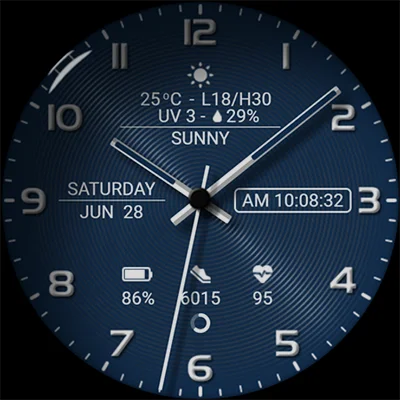
- Analog Styles: Classic watch faces with modern interpretations
- Hybrid Designs: Combining digital precision with analog aesthetics
- Date-Integrated Clocks: Time, day, and date in unified presentations
- World Clock Widgets: Multiple time zones for international users
Each clock widget maintains visual clarity while offering personality through thoughtful design choices. Similar clock-focused customization can be found in specialized apps like Material You Widgets, which also emphasizes modern Android design principles.
Weather Widgets: Stay Informed in Style
Weather information becomes both functional and beautiful with NewThing Widgets Pro. The weather category includes:
- Current temperature with location-based updates
- Extended forecasts (3-day, 5-day, weekly options)
- Detailed meteorological data (humidity, wind speed, pressure)
- Beautiful weather condition animations
- Sunrise and sunset times
- UV index and air quality information (where available)
Pro Tip: Weather widgets use exact alarms to ensure timely updates. The app requests USE_EXACT_ALARM permission specifically to deliver accurate, scheduled weather refreshes without delays.
Quick Settings Widgets: Control at Your Fingertips
Quick settings widgets provide one-tap access to commonly used Android functions:
- Wi-Fi, Bluetooth, and mobile data toggles
- Flashlight activation
- Screen brightness adjustment
- Volume controls
- Do Not Disturb mode
- Location services toggle
- Auto-rotate control
These widgets eliminate the need to pull down notification panels repeatedly, streamlining your daily device interactions.
Battery Widgets: Power Management Made Pretty
Battery monitoring becomes both informative and aesthetically pleasing:
- Percentage Displays: Clear numerical readouts with visual indicators
- Circular Progress Bars: Elegant ring-style battery representations
- Charging Animations: Dynamic visuals when device is plugged in
- Battery Health Info: Voltage, temperature, and technology details
- Estimated Time Remaining: Usage projections based on current drain
For users seeking even more customization options for system monitoring, apps like Everything Widgets offer complementary approaches to displaying device information.
Photo Widgets: Personal Memories on Display
Photo widgets transform your home screen into a dynamic photo gallery:
- Single photo displays with various frame styles
- Rotating photo galleries with configurable intervals
- Album-based selections
- Instagram-style grid layouts
- Heart-shaped and circular photo frames
- Anniversary and special date photo reminders
The app uses exact alarms to change photos precisely at scheduled times, ensuring your memories rotate reliably according to your preferences.
Specialized Widgets
NewThing Widgets Pro goes beyond basics with unique widget types:
- Pedometer: Step counting with daily goal tracking
- Compass: Directional guidance with elegant design
- Calendar: Upcoming events and schedules
- Quotes & Facts: Daily inspiration and knowledge
- Contact Shortcuts: Quick access to favorite people
- Earbuds Status: Battery levels for connected audio devices
- Location Info: Current coordinates and address
- Search Bars: Google search integration with custom styling
- Games: Mini-game widgets for quick entertainment
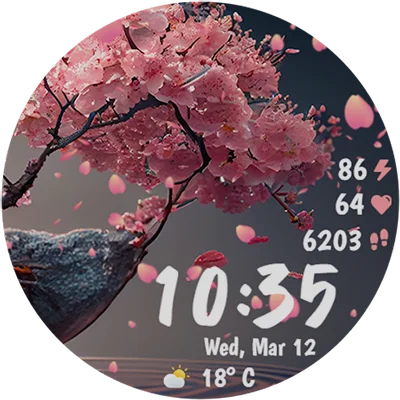
- Watch Widgets: Smartwatch-inspired designs
Material You Integration: Seamless Theme Matching
One of NewThing Widgets Pro‘s standout features is its deep integration with Android’s Material You theming system, introduced in Android 12.
How Material You Works
Material You analyzes your wallpaper’s colors and generates a system-wide color palette that apps can utilize. When properly implemented, this creates visual harmony across your entire device interface.
NewThing Widgets Pro automatically adopts these generated colors, ensuring widgets naturally complement your wallpaper choice. This eliminates hours of manual color matching that traditional widget customization often requires.
Maximizing Material You Benefits
To get the most from Material You integration:
- Choose the Right Wallpaper: Select wallpapers with clear, distinctive colors for better palette generation
- Enable Material You Mode: Activate this option in widget settings
- Test Different Wallpapers: Experiment to see how widgets adapt to various color schemes
- Combine with System Theme: Use matching icons and themes for complete cohesion
For users who want additional customization control beyond Material You, traditional widget makers like KWGT Kustom Widget Maker offer unlimited manual adjustment capabilities.
Performance and Battery Considerations
Widget apps can significantly impact device performance and battery life if poorly optimized. NewThing Widgets Pro addresses these concerns through several design decisions.
Battery Optimization Strategies
The app employs multiple techniques to minimize power consumption:
- Efficient Update Scheduling: Widgets only refresh when necessary
- Smart Background Processing: Foreground service ensures updates without excessive wake locks
- Optimized Animations: Visual effects designed for smooth performance without GPU strain
- Selective Permission Usage: Only requests permissions essential for widget functionality
- Adaptive Refresh Rates: Weather and time-sensitive widgets update more frequently; static widgets remain dormant
Performance Benchmarks
Based on user reports and testing:
- Battery Impact: Typically 2-4% additional daily drain with 5-7 active widgets
- RAM Usage: Average 50-80MB depending on active widget count
- Storage Footprint: Approximately 30-50MB for app and widget assets
- Load Times: Instant widget rendering on home screen access
These metrics place NewThing Widgets Pro among the more efficient widget solutions available, comparable to lightweight alternatives like One UI Widgets designed for Samsung devices.
Customization Deep Dive
While NewThing Widgets Pro emphasizes simplicity, it still offers meaningful customization options for users who want personalized touches.
Available Customization Options
Different widget types offer varying levels of customization:
Clock Widgets:
- 12-hour vs. 24-hour format selection
- Date format variations
- Font size adjustments (where applicable)
- Background transparency levels
Weather Widgets:
- Location selection (manual or automatic)
- Temperature units (Celsius/Fahrenheit)
- Update frequency settings
- Extended forecast options
Photo Widgets:
- Album selection
- Rotation interval timing
- Frame style choices
- Tap actions (open gallery, specific app, etc.)
Quick Settings:
- Toggle assignment
- Icon style preferences
- Action customization
Design Philosophy
The app follows a “sensible defaults” approach—widgets look great immediately upon placement, with customization available for those who want it rather than required for basic functionality.
This contrasts with complex widget makers that demand extensive configuration before producing usable results, making NewThing Widgets Pro ideal for users who want premium aesthetics without steep learning curves.
Troubleshooting Common Issues
Even well-designed apps occasionally encounter issues. Here are solutions to common problems users report:
Weather Widget Location Problems
Issue: Weather showing invalid location or not updating Solutions:
- Verify location permissions are granted in Android settings
- Try manual location entry instead of GPS-based detection
- Check internet connectivity for weather data retrieval
- Clear app cache and restart device
- Ensure location services are enabled system-wide
Widget Sizing and Padding Issues
Issue: Widgets appear too large with excessive padding Solutions:
- Resize widgets after placement to normalize padding
- Use different launcher apps for better widget rendering
- Adjust grid size in launcher settings for finer control
- Try alternative widget sizes from the same category
Folder Widget Functionality
Issue: Folder widgets not accepting shortcuts or drag-and-drop Solutions:
- Use the built-in app selection interface instead of dragging
- Ensure you’re using a compatible launcher (Nova, Lawnchair, etc.)
- Update to the latest app version for bug fixes
- Check if launcher settings restrict widget folder access
App Launch Delays
Issue: Apps launching slowly from folder widgets after unlocking Solutions:
- Disable battery optimization for NewThing Widgets Pro
- Grant all requested permissions to prevent system delays
- Reduce number of active widgets if experiencing device slowdown
- Consider device RAM limitations with extensive widget usage
Design Inspiration and Home Screen Layouts
Creating visually stunning home screens requires more than just installing widgets—it demands thoughtful composition and design principles.
Popular Layout Strategies
Minimalist Approach:
- Single large clock widget centered or at top-third
- Small weather widget in corner
- Essential quick toggles at bottom
- Maximum wallpaper visibility
- 2-3 widgets total
Information Dashboard:
- Multiple small widgets arranged in grid
- Clock, weather, calendar, and battery combined
- Quick settings row for frequent actions
- Comprehensive at-a-glance information
- 6-8 widgets organized systematically
Asymmetrical Design:
- Off-center widget placement for visual interest
- Varying widget sizes creating dynamic composition
- Intentional negative space for breathing room
- Wallpaper elements visible through spacing
- 4-5 strategically positioned widgets
Nothing-Inspired Theme:
- Monochromatic or red-accented widgets
- Dot matrix style elements
- Glyph-inspired visual language
- Tech-forward aesthetic
- Clean, geometric layouts
Color Coordination Tips
Even with Material You’s automatic matching, understanding color coordination principles enhances results:
- Complementary Colors: Use widgets with colors opposite on the color wheel for high contrast
- Analogous Colors: Select adjacent color schemes for harmonious, calming designs
- Monochromatic Approach: Stick to variations of a single hue for elegant simplicity
- Accent Strategy: Neutral base with one bold accent color for focal points
- Wallpaper-First Design: Choose wallpaper first, then select widgets that complement it
Comparing NewThing Widgets Pro to Alternatives
The Android widget ecosystem offers numerous options. How does NewThing Widgets Pro stack up against competitors?
NewThing Widgets Pro vs. KWGT-Based Solutions
KWGT-Based Packs (like Radiance KWGT):
- ✓ Unlimited customization possibilities
- ✓ Complex animations and effects
- ✓ Complete design control
- ✗ Requires KWGT PRO purchase (additional cost)
- ✗ Steeper learning curve
- ✗ More time-intensive setup
NewThing Widgets Pro:
- ✓ Standalone operation (no additional apps)
- ✓ Immediate usability
- ✓ Regular developer updates
- ✓ Battery-optimized performance
- ✗ Limited customization depth
- ✗ Less granular control over design elements
NewThing Widgets Pro vs. System Widgets
Stock Android Widgets:
- ✓ Free and pre-installed
- ✓ Guaranteed compatibility
- ✓ Minimal resource usage
- ✗ Limited visual appeal
- ✗ Basic functionality only
- ✗ Inconsistent design language
NewThing Widgets Pro:
- ✓ Premium aesthetics
- ✓ Comprehensive widget categories
- ✓ Modern design language
- ✓ Regular feature additions
- ✗ Paid application
- ✗ Requires separate installation
Advanced Tips and Tricks
Experienced users can extract even more value from NewThing Widgets Pro with these advanced techniques:
Creating Multi-Screen Themes
Design consistent themes across multiple home screens:
- Screen 1 (Main): Clock and weather focus with quick settings
- Screen 2: Calendar, events, and productivity widgets
- Screen 3: Photo gallery and personal content
- Screen 4: System monitoring and technical widgets
- Screen 5: Entertainment shortcuts and games
Seasonal Rotations
Keep your home screen fresh by creating seasonal variations:
Spring: Light backgrounds, pastel Material You themes, photo widgets featuring nature Summer: Vibrant colors, bright themes, vacation photo galleries Fall: Warm tones, autumn wallpapers, cozy aesthetic Winter: Cool colors, minimal designs, holiday photo rotations
Widget Layering Techniques
Create depth by strategically layering widgets:
- Place larger, lighter widgets as background elements
- Position smaller, darker widgets in foreground
- Use transparency settings to create visual hierarchy
- Align edges for professional appearance
- Maintain functional access despite visual layering
Launcher Integration
Maximize widget effectiveness by pairing with compatible launchers:
- Nova Launcher: Best overall compatibility and flexibility
- Lawnchair: Open-source option with excellent widget support
- Smart Launcher: Unique organizational approach complementing widgets
- Microsoft Launcher: Strong integration for Microsoft ecosystem users
- Niagara Launcher: Minimalist philosophy aligning with widget aesthetics
Community and Developer Support
The success of any customization app depends partly on developer responsiveness and community engagement.
Official Support Channels
NewThing Widgets Pro provides multiple support avenues:
- Email Support: [email protected] for technical issues and refund requests
- X (Twitter): @AppsLab_Co for updates and announcements
- Telegram: Community channel at t.me/AppsLab_Co
- Play Store Reviews: Developer actively responds to feedback and bug reports
Update Frequency
The app receives regular updates, with the latest version (2.2) adding:
- 40+ new widgets
- Custom app launcher widget
- Search bar widget improvements
- New watch widget category
- 30+ widget redesigns
- Bug fixes and performance enhancements
This update cadence demonstrates ongoing developer commitment to improvement and user satisfaction.
Refund Policy
The app follows Google Play’s standard refund structure:
- Within 48 Hours: Request refunds directly through Google Play
- After 48 Hours: Contact developer via email with order details
- Developer Guarantee: 24-hour satisfaction promise for direct support
This transparent policy reduces purchase risk for users uncertain about compatibility or satisfaction.
Value Proposition: Is It Worth the Investment?
NewThing Widgets Pro carries a price tag, making value assessment important for potential buyers.
Cost-Benefit Analysis
Initial Investment: Single purchase price (check current Play Store listing for exact amount)
What You Get:
- 300+ professional widgets
- Lifetime access with free updates
- No subscription fees
- No additional app requirements
- Material You integration
- Regular new widget additions
Comparable Alternatives:
- KWGT PRO key + premium widget pack: Often higher combined cost
- Multiple individual widget apps: Fragmented experience, potentially higher total cost
- Free alternatives: Limited quality, ads, or restricted features
Ideal User Profile
Best Suited For:
- Users seeking Nothing Phone aesthetics on any Android device
- Those wanting premium looks without learning complex tools
- People who value time efficiency over unlimited customization
- Anyone frustrated with stock Android widget limitations
- Users desiring regular updates and modern design language
Consider Alternatives If:
- You need absolute control over every design element
- You’re satisfied with completely free solutions
- You prefer building widgets from scratch
- You rarely use or view your home screen
The Future of NewThing Widgets Pro
Based on update patterns and developer communication, we can anticipate future developments:
Expected Enhancements
- Expanded Widget Library: Continued addition of new categories and designs
- Enhanced Customization: More user control while maintaining simplicity
- Interactive Widgets: More dynamic, tap-responsive widget types
- Improved Material You: Deeper integration with Android theming
- Performance Optimization: Ongoing efficiency improvements
- Bug Resolution: Addressing reported issues like location and folder functionality
Market Position
As Android continues evolving, widget quality becomes increasingly important to user experience. NewThing Widgets Pro positions itself as a middle-ground solution—more sophisticated than stock widgets, more accessible than complex widget makers—likely finding sustained relevance as Android customization interest grows.
Conclusion: Transform Your Android Experience
NewThing Widgets Pro delivers on its promise of accessible, beautiful Android customization. The 300+ widget collection covers virtually every functional need while maintaining the sleek, minimal aesthetic inspired by Nothing Phone’s design language. Material You integration ensures widgets complement your chosen wallpaper, creating cohesive visual experiences that feel professionally designed.
The standalone operation eliminates dependency on widget makers like KWGT, significantly lowering the barrier to entry for customization newcomers. Meanwhile, the variety of widget types and regular updates provide enough depth to satisfy experienced Android enthusiasts seeking fresh home screen designs.
While limitations exist—folder widget issues, restricted color customization, and sizing quirks affect some users—the overall package offers compelling value for its price point. The developer’s responsive support, transparent refund policy, and consistent update schedule inspire confidence in long-term viability.
Ready to revolutionize your home screen? Download NewThing Widgets Pro from the Play Store and discover how effortlessly your Android device can reflect your personal style. Whether you’re chasing Nothing Phone aesthetics or simply want beautifully designed, functional widgets, this app delivers the tools you need to create a truly personalized mobile experience.
Frequently Asked Questions About NewThing Widgets Pro
Q1: Do I need KWGT or any other apps to use NewThing Widgets Pro?
No, NewThing Widgets Pro works completely independently and doesn’t require KWGT, Kustom, or any other third-party widget maker apps. This is one of its primary advantages—you simply install the app from the Play Store and immediately gain access to all 300+ widgets. This standalone functionality makes it significantly easier to use than widget packs that depend on additional apps, reducing complexity, eliminating extra costs, and simplifying the overall customization process. Just download, install, and start adding widgets to your home screen using Android’s standard widget placement method.
Q2: Will NewThing Widgets Pro drain my battery significantly?
NewThing Widgets Pro is designed with battery efficiency in mind. The app uses exact alarms and a foreground service to ensure timely widget updates without excessive battery drain. Based on user reports and testing, you can expect approximately 2-4% additional daily battery consumption when using 5-7 active widgets, which is comparable to or better than many widget solutions. Battery impact varies depending on which widgets you use—weather widgets that frequently check for updates and photo widgets that rotate images consume more power than static clock displays. To minimize battery usage, adjust update frequencies for weather widgets, limit the number of active widgets, and disable animations on widgets you don’t frequently view.
Q3: Can I customize the colors of NewThing Widgets Pro widgets?
Color customization in NewThing Widgets Pro primarily works through Material You integration, which automatically matches widgets to your system’s dynamic color palette generated from your wallpaper. When you change your wallpaper on Android 12 or later, the widgets automatically adapt to complement the new color scheme. However, some users report limited ability to manually select specific colors beyond the Material You system, which can be a limitation if you want precise color control. The app offers dark mode, light mode, and Material You mode as primary theming options. For users who need granular color control over every widget element, KWGT-based solutions might offer more flexibility, though they require significantly more setup time and technical knowledge.
📥 Download NewThing Widgets Pro APK Latest Version (Premium Unlocked)
Note: This version is safe. You can scan it yourself via VirusTotal.