Mandala Maker 360 APK: Create Stunning, Free, Ad-Free Digital Art
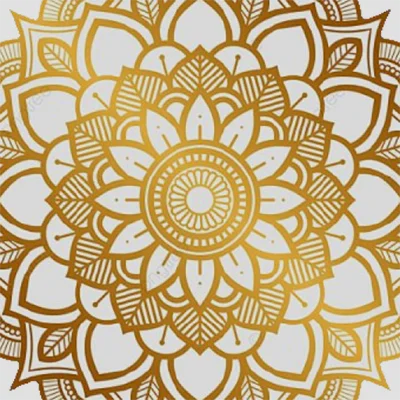
Have you ever wanted to create stunning, symmetrical mandala designs but felt intimidated by the complexity? Mandala Maker 360 is revolutionizing the way artists, beginners, and meditation enthusiasts approach digital mandala creation. This powerful Android application transforms your smartphone into a portable art studio, making it easier than ever to craft intricate, beautiful mandalas that reflect your creativity and inner peace.
Table of Contents
Whether you’re seeking a therapeutic creative outlet, exploring digital art for the first time, or looking to enhance your design portfolio, this comprehensive guide will walk you through everything you need to know about this remarkable application.
What is Mandala Maker 360?
Mandala Maker 360 is a free, user-friendly Android application designed specifically for creating symmetrical mandala art. Developed by Humble Kid Creation, this intuitive design app leverages radial symmetry technology to help users produce professional-looking mandalas with minimal effort. Unlike traditional drawing methods that require meticulous precision, this app automatically replicates your brush strokes across multiple axes, ensuring perfect symmetry every time.
The application stands out in the crowded digital art space by offering a distraction-free experience—no intrusive advertisements, no complicated menus, just pure creative freedom. This makes it an excellent choice for meditation practices, stress relief, and artistic expression.
Key Features That Make Mandala Maker 360 Stand Out
Intuitive Symmetry Controls
The core strength of Mandala Maker 360 lies in its sophisticated symmetry engine. Users can choose from multiple symmetry modes, ranging from simple bilateral symmetry to complex 12, 16, or even 24-axis radial patterns. This flexibility allows you to:
- Create simple, elegant designs with fewer axes
- Develop intricate, kaleidoscopic patterns with multiple symmetry lines
- Experiment with different geometric configurations
- Switch symmetry modes mid-creation for unique effects
Comprehensive Drawing Tools
The application provides a robust set of drawing instruments that rival professional design software:
| Tool Type | Functionality | Best Used For |
|---|---|---|
| Brush Tool | Freehand drawing with adjustable size | Organic, flowing designs |
| Color Picker | Full spectrum color selection | Vibrant, customized palettes |
| Eraser | Precision correction tool | Refining details |
| Undo/Redo | Multiple step history | Experimentation without risk |
| Zoom Function | Detailed work capability | Intricate patterns |
Similar to how apps like Picsart AI Photo Editor, Video offers comprehensive creative tools, Mandala Maker 360 ensures you have everything needed for professional results.
Ad-Free Experience
In today’s app ecosystem where advertisements constantly interrupt creative flow, Mandala Maker 360 distinguishes itself by being completely ad-free. This decision by the developers prioritizes user experience over monetization, creating an uninterrupted canvas for your artistic journey. This makes it particularly suitable for children and therapeutic applications where focus and calm are essential.
The Therapeutic Benefits of Mandala Creation
Beyond artistic merit, creating mandalas through Mandala Maker 360 offers significant mental health benefits:
Stress Reduction: The repetitive, focused nature of mandala creation activates the same neural pathways as meditation, reducing cortisol levels and promoting relaxation.
Mindfulness Practice: Drawing symmetrical patterns requires present-moment awareness, naturally guiding users into a meditative state without formal meditation training.
Creative Expression: Unlike structured art forms, mandalas allow for personal interpretation and emotional expression, making them powerful tools for processing feelings and experiences.
Improved Focus: Regular practice with the app can enhance concentration skills, benefiting both children and adults in their daily activities.
Getting Started: Your First Mandala
Creating your first mandala with Mandala Maker 360 is refreshingly straightforward:
- Launch the App: Open the application and familiarize yourself with the minimalist interface
- Select Your Symmetry: Choose the number of radial axes (beginners might start with 8 or 12)
- Pick Your Colors: Use the color picker to select your primary palette
- Start Drawing: Make a single stroke and watch it replicate across all symmetry lines
- Experiment: Try different brush sizes, colors, and patterns
- Save Your Work: Export your finished creation in high resolution
For users who enjoy creative mobile applications, exploring tools like CapCut for video editing or Canva for graphic design can complement your digital art toolkit.
Advanced Techniques for Experienced Users
Once you’ve mastered the basics, Mandala Maker 360 offers depth for artistic growth:
Layering Techniques
Create visual depth by building your mandala in conceptual layers:
- Start with bold, large strokes for the foundation
- Add medium-sized details for complexity
- Finish with fine lines for intricate finishing touches
Color Theory Application
Understanding complementary and analogous color schemes can elevate your mandalas from pleasant to stunning:
- Use complementary colors (opposite on the color wheel) for vibrant contrast
- Apply analogous colors (adjacent on the color wheel) for harmonious, soothing designs
- Experiment with monochromatic schemes for sophisticated, unified compositions
Geometric Precision
Advanced users can create mathematically precise designs by:
- Utilizing higher symmetry counts (16, 24, or 32 axes)
- Planning designs on paper before digital execution
- Combining multiple geometric shapes within a single mandala
Comparing Mandala Maker 360 to Alternatives
While several mandala creation apps exist, Mandala Maker 360 balances simplicity and functionality exceptionally well:
Advantages:
- Zero advertisements preserving creative flow
- Intuitive interface requiring minimal learning curve
- Free access to all features without paywalls
- Lightweight application that doesn’t drain device resources
Considerations:
- Currently lacks preset saving functionality
- Cannot save work-in-progress for later editing
- Color saturation controls require specific settings
- Occasional zoom-related bugs in complex projects
For users interested in broader creative applications, ibis Paint offers expanded layer control and more advanced features, though with greater complexity.
User Experience and Community Feedback
The Mandala Maker 360 user community consistently praises several aspects:
Ease of Use: Reviewers frequently mention how quickly they could start creating without tutorials or complex onboarding. The intuitive design makes it accessible for all age groups, from children to seniors.
Therapeutic Value: Many users report incorporating the app into their daily meditation or stress-management routines, finding the act of creation both calming and rewarding.
Family-Friendly: Parents appreciate the ad-free experience, making it safe for children to use independently without exposure to inappropriate content or unexpected purchases.
The developer’s responsiveness to user feedback—quickly addressing bugs and implementing requested features—demonstrates a commitment to continuous improvement that benefits the entire user base.
Creative Applications Beyond Personal Art
Mandala Maker 360 serves purposes beyond individual creative expression:
Educational Settings: Teachers use the app to introduce students to geometric concepts, symmetry, and color theory in engaging, hands-on ways.
Therapeutic Environments: Mental health professionals incorporate mandala creation into art therapy sessions, helping clients express emotions non-verbally.
Design Inspiration: Graphic designers and illustrators use the app for rapid prototyping of symmetrical design elements, logos, and patterns.
Cultural Exploration: The app provides an accessible entry point for exploring mandala traditions from various cultures, from Tibetan Buddhist sand mandalas to Native American medicine wheels.
Technical Specifications and Requirements
Understanding the technical aspects helps ensure optimal performance:
- Platform: Android devices (check Google Play for specific version requirements)
- Storage: Minimal space required (typically under 50MB)
- Permissions: Basic drawing and storage permissions
- Performance: Runs smoothly on mid-range and flagship devices
- Export Options: High-resolution image saving capabilities
For users exploring various creative tools, combining Mandala Maker 360 with apps like InShot for video creation can expand your digital content production capabilities.
Tips for Maximizing Your Mandala Maker 360 Experience
To get the most from this powerful application:
Start Simple: Begin with fewer symmetry axes and simple patterns before progressing to complex designs. This builds confidence and skill progressively.
Regular Practice: Dedicate 10-15 minutes daily to mandala creation. Consistency develops both technical skill and therapeutic benefits.
Color Planning: Sketch color schemes before starting digital work, or save screenshots of palettes you love for future reference.
Experiment Freely: The undo function means mistakes are learning opportunities. Try unconventional color combinations and pattern variations.
Save Frequently: While the app doesn’t currently support work-in-progress saving, screenshot your creations at various stages to document your artistic journey.
Share Your Work: Join online mandala communities to share creations, gain inspiration, and connect with fellow artists.
Future Possibilities and Wishlist Features
While Mandala Maker 360 already offers impressive functionality, the community has identified several features that would enhance the experience:
- Project Saving: Ability to save unfinished work and return later
- Brush Presets: Custom brush configurations that can be saved and reused
- Animation Export: Creating time-lapse videos of the creation process
- Pattern Library: Built-in templates for inspiration and learning
- Advanced Color Tools: Gradient options and color palette management
- Layer System: Separate layers for complex composition control
The developer’s track record of responding to user feedback suggests these enhancements may appear in future updates.
Conclusion: Unleash Your Creative Potential
Mandala Maker 360 represents the perfect intersection of accessibility, functionality, and therapeutic value. Whether you’re seeking stress relief, artistic expression, or simply a beautiful way to pass time, this application delivers an exceptional experience without the burden of advertisements or paywalls.
The app’s commitment to symmetry-based creation means that even complete beginners can produce stunning, professional-looking mandalas within minutes of downloading. Meanwhile, experienced digital artists will appreciate the nuanced control and technical capabilities that support advanced techniques.
In a world increasingly dominated by digital distractions, Mandala Maker 360 offers something refreshingly different: a focused, meditative space where creativity flourishes naturally. Download it today and discover why thousands of users have made it their go-to application for mandala creation and mindful artistic practice.
Your journey into the mesmerizing world of symmetrical art awaits—one brush stroke at a time.
Frequently Asked Questions About Mandala Maker 360
Q: Is Mandala Maker 360 completely free to use?
A: Yes, Mandala Maker 360 is entirely free with no hidden costs, in-app purchases, or subscription requirements. All features are available to every user from the moment of installation, and the app is completely ad-free, making it accessible for users of all backgrounds without financial barriers.
Q: Can I export my mandala creations in high resolution for printing?
A: Absolutely! Mandala Maker 360 allows you to save your completed mandalas in high-resolution format suitable for printing. Simply complete your design and use the save function to export the image to your device’s gallery. From there, you can print your artwork or share it on social media platforms. The resolution quality is sufficient for most standard printing needs, including framed art and greeting cards.
Q: Does the app work offline, or does it require an internet connection?
A: Mandala Maker 360 works entirely offline once installed. You don’t need an active internet connection to create, edit, or save your mandalas. This makes it perfect for use during travel, in areas with limited connectivity, or when you simply want to disconnect and focus on creative meditation without distractions. The only time you’ll need internet access is for the initial download from Google Play.
📥 Download Mandala Maker 360 APK Latest Version (Premium Unlocked)
Note: This version is safe. You can scan it yourself via VirusTotal.