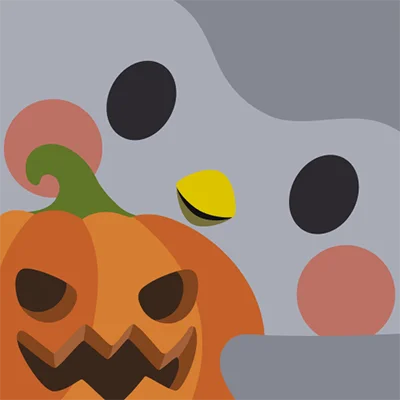
Crayon Icon Pack APK: 6,500+ Pastel Cartoon Android Icons
Your smartphone’s home screen is the digital gateway you interact with dozens of times daily. Why settle for generic, uninspiring app icons when you can transform your device into a visual masterpiece? Crayon Icon Pack brings a delightful cartoon aesthetic and soothing pastel colors to your Android device, offering over 6,000 meticulously crafted icons that turn everyday app launching into a pleasure. This comprehensive icon pack has captured the hearts of customization enthusiasts worldwide by combining artistic excellence with practical functionality, creating a uniquely charming interface that stands out in today’s digital landscape.
Table of Contents
Whether you’re seeking a fresh aesthetic, want to express your personality through design, or simply crave a more visually pleasing mobile experience, Crayon Icon Pack delivers an exceptional theming solution that elevates your device beyond the ordinary.
What Makes Crayon Icon Pack Special?
Crayon Icon Pack represents a perfect fusion of artistic creativity and technical excellence. Developed by JustNewDesigns, this icon pack embraces a distinctive cartoon-inspired design language wrapped in gentle pastel hues that create a cohesive, eye-catching aesthetic across your entire home screen.
Each icon is thoughtfully designed as a miniature work of art, featuring:
| Design Element | Description |
|---|---|
| Cartoon Style | Playful, illustrative designs that add personality to your device |
| Pastel Colors | Soft, soothing color palette that’s easy on the eyes |
| Consistent Aesthetics | Unified visual language across all 6,000+ icons |
| High Quality | Top-notch craftsmanship with attention to detail |
| Perfect Masking | Seamless blending of themed and unthemed icons |
The result is a stunningly different look that transforms standard Android interfaces into personalized digital spaces reflecting your unique style and preferences.
Extensive Icon Library: 6,000+ Designs and Growing
One of the most impressive features of Crayon Icon Pack is its extensive library containing over 6,000 icons. This massive collection ensures that the vast majority of your installed applications receive the custom treatment, creating a comprehensive and cohesive visual experience.
What’s Included in the Collection?
Popular Apps Coverage:
- Social media platforms (Facebook, Instagram, Twitter, TikTok)
- Communication tools (WhatsApp, Telegram, Discord)
- Productivity apps (Google Workspace, Microsoft Office)
- Entertainment services (Netflix, Spotify, YouTube)
- Gaming applications across all genres
- Banking and finance apps
- Photography and editing tools
- Shopping and e-commerce platforms
Alternative Icon Options: The pack includes multiple design variations for popular apps, allowing you to choose the icon that best fits your aesthetic vision. This flexibility means you can refresh your home screen’s look without changing icon packs entirely.
Continuous Updates: The developer maintains an active update schedule, regularly adding new icons based on user requests and emerging applications. This commitment ensures the pack remains relevant as you discover and install new apps.
For users who appreciate organized visual aesthetics beyond just icons, apps like Everything Widgets complement icon packs by providing customizable widgets that maintain your chosen design theme across all screen elements.
The Perfect Pastel Aesthetic
What truly distinguishes Crayon Icon Pack from competitors is its masterful use of pastel colors. These soft, muted tones create a calming visual environment that reduces eye strain while maintaining excellent icon recognition.
Benefits of Pastel Design
Visual Comfort:
- Reduced eye strain during extended screen time
- Less harsh contrast compared to bright, saturated icons
- Pleasant viewing experience in various lighting conditions
- Particularly comfortable for nighttime use
Aesthetic Appeal:
- Creates a cohesive, harmonious home screen
- Pairs beautifully with minimalist wallpapers
- Offers a sophisticated, mature design that avoids childishness
- Stands out from the typical bold, colorful icon packs
Psychological Benefits:
- Pastel colors promote calmness and reduce anxiety
- Creates a more pleasant, stress-free device interaction
- Enhances focus by reducing visual noise
The cartoon styling adds playfulness without sacrificing sophistication, making Crayon Icon Pack suitable for users of all ages and professional contexts.
Advanced Masking System for Unthemed Icons
Even with 6,000+ icons, you’ll inevitably encounter applications without dedicated designs, especially if you frequently try new apps or use niche software. This is where Crayon Icon Pack‘s superior masking system becomes invaluable.
How Icon Masking Works
The masking system automatically applies a consistent design treatment to unthemed icons by:
- Shape Application: Wrapping unthemed icons in shapes that match the pack’s aesthetic
- Color Harmonization: Adjusting colors to blend with the pastel palette
- Style Consistency: Ensuring unthemed icons don’t break the visual flow
Result: Your home screen maintains visual coherence even as you install new applications that haven’t been specifically themed. The masked icons blend seamlessly rather than standing out as obvious exceptions.
This attention to detail elevates Crayon Icon Pack above competitors that leave unthemed icons as jarring interruptions to your carefully curated aesthetic. For users who value comprehensive theming solutions, launchers like Nova Launcher Prime provide the foundation for implementing these advanced masking features effectively.
Complementary Wallpaper Collection
Understanding that icons are only part of the home screen equation, Crayon Icon Pack includes a curated collection of high-quality wallpapers specifically designed to complement the cartoon pastel aesthetic.
Wallpaper Features
Design Coordination:
- Wallpapers use compatible color palettes that enhance icon visibility
- Patterns and illustrations match the cartoon aesthetic
- Various styles from minimalist to detailed illustrations
Practical Considerations:
- High resolution suitable for modern device displays
- Optimized file sizes for efficient storage usage
- Options for both light and dark preferences
Easy Access: Browse and apply wallpapers directly through the icon pack application, streamlining the customization process without requiring separate wallpaper apps.
The included wallpapers eliminate the guesswork of finding compatible backgrounds, ensuring your complete home screen achieves that perfect, cohesive look you’re seeking.
Launcher Compatibility and Setup
Crayon Icon Pack works with virtually all major Android launchers, providing flexibility for users with different preferences and device configurations.
Supported Launchers
Recommended Launcher: Nova Launcher offers optimal compatibility and the most customization options. The developer specifically recommends Nova for the best experience with Crayon Icon Pack.
Full Compatibility List:
- Action Launcher, ADW Launcher, Apex Launcher
- Atom Launcher, Aviate Launcher
- GO Launcher, Holo Launcher
- Lawnchair, Lucid Launcher
- Smart Launcher, Solo Launcher
- ZenUI Launcher, Zero Launcher
- And many more (see full list in app)
Additional Compatible Launchers: Even launchers not listed in the apply section often work with manual application through theme settings. The pack has been tested with Arrow Launcher, ASAP Launcher, Poco Launcher, and others.
Important Note: Google Now Launcher does not support any icon packs due to its closed architecture. Users must switch to a compatible third-party launcher to apply custom icons.
If you’re exploring different launcher options to maximize your customization potential, Beacon Game Launcher offers specialized features for gaming-focused setups, while maintaining compatibility with comprehensive icon packs.
Optimal Settings for Best Results
To achieve the perfect look with Crayon Icon Pack, the developer provides specific recommendations based on extensive testing and user feedback.
Nova Launcher Settings (Recommended)
Icon Configuration:
- Icon Normalization: Turn OFF to preserve the unique size and proportions of Crayon icons
- Icon Size: Adjust based on preference
- Small icon lovers: 85%
- Standard size: 100%
- Large icon enthusiasts: 100-120%
Why These Settings Matter: Many icon packs lose their distinctive character when launchers force normalization, which makes all icons uniform sizes. Crayon’s design philosophy embraces natural size variations that enhance the hand-drawn, cartoon aesthetic.
General Setup Process
Step-by-Step Application:
- Install Compatible Launcher: Download and set as default launcher
- Install Crayon Icon Pack: Get it from the Play Store
- Open Crayon App: Navigate to the Apply section
- Select Your Launcher: Choose from the list of supported launchers
- Alternative Method: If your launcher isn’t listed, apply through launcher settings
The straightforward process takes just minutes, transforming your device instantly from standard to spectacular.
Dynamic Calendar and Smart Features
Beyond static icon designs, Crayon Icon Pack incorporates intelligent features that enhance functionality alongside aesthetics.
Dynamic Calendar Icons
The dynamic calendar feature automatically updates calendar app icons to display the current date, providing at-a-glance information without opening the app. This practical feature combines visual appeal with useful functionality.
Additional Smart Features
Custom Folder Icons: Create themed folders with custom icons that maintain the Crayon aesthetic, organizing apps without breaking visual consistency.
Category-Based Organization: Icons are organized by categories within the app, making it easy to browse and request specific types of applications.
Custom App Drawer Icons: Some launchers support app drawer customization, allowing you to extend the Crayon theme beyond your home screen.
Easy Icon Requests: Missing an icon for your favorite app? The streamlined request system lets you submit requests directly through the app, and the developer actively incorporates community requests in regular updates.
For users seeking comprehensive widget customization to match their icon pack, KWGT Kustom Widget Maker provides powerful tools to create custom widgets that perfectly complement your Crayon-themed interface.
Material Dashboard and User Experience
Crayon Icon Pack utilizes a modern Material Design dashboard that makes navigation and customization intuitive and enjoyable.
Dashboard Features
Icon Preview and Search:
- Browse all available icons with high-quality previews
- Search functionality to quickly find specific app icons
- See alternative icons for apps with multiple designs
Category Browsing: Icons organized by logical categories (Social Media, Productivity, Games, etc.) make finding relevant designs efficient.
Request Tracker: Monitor the status of your icon requests and see which icons are planned for upcoming updates.
Wallpaper Gallery: Browse and preview included wallpapers before applying them.
Support and FAQ: Access comprehensive documentation and frequently asked questions directly within the app, reducing confusion and support needs.
The polished dashboard experience reflects the overall quality and attention to detail that characterizes Crayon Icon Pack.
Value Proposition and Money-Back Guarantee
While many icon packs flood the Play Store, Crayon Icon Pack stands behind its quality with a confidence-inspiring 100% refund policy.
What You Get for Your Investment
| Feature | Value |
|---|---|
| 6,000+ Icons | Comprehensive coverage of popular apps |
| Frequent Updates | Ongoing icon additions at no extra cost |
| Wallpaper Collection | Curated backgrounds included |
| Dynamic Features | Calendar icons and smart functionality |
| Professional Support | Responsive developer assistance |
| Lifetime Updates | One-time purchase, continuous improvements |
Risk-Free Purchase: If you’re not completely satisfied within 24 hours, contact the developer for a full refund. This policy demonstrates the developer’s confidence in the pack’s quality and commitment to customer satisfaction.
The value proposition is clear: professional-grade icon pack design at an affordable price point with ongoing support and updates.
Personalization Tips and Creative Ideas
Maximize your Crayon Icon Pack experience with these personalization strategies that create truly unique home screens.
Aesthetic Combinations
Minimalist Approach:
- Use solid pastel wallpapers matching icon colors
- Limit home screen icons to essentials
- Hide status bar and navigation buttons
- Create clean, uncluttered spaces
Illustrated Style:
- Pair with cartoon or hand-drawn wallpapers
- Use KWGT widgets with matching aesthetics
- Create themed home screen pages (work, entertainment, productivity)
Dark Mode Adaptation:
- Choose darker pastel wallpapers for evening use
- Adjust launcher night mode settings
- Consider complementary icon packs for night themes
Organization Strategies
Color Coordination: Group apps by icon color on different home screen pages or folders, creating visually striking organizational systems.
Functional Grouping: Create folders using custom folder icons for categories like:
- Social Media Hub
- Productivity Suite
- Entertainment Center
- Utilities and Tools
Minimalist Drawer: Keep only your most-used 12-16 apps on the home screen, accessing everything else through the app drawer for a cleaner look.
Similar to how Glass Widgets allows for transparent, aesthetic widget designs, combining Crayon Icon Pack with thoughtfully chosen widgets creates layered, sophisticated home screen designs that feel professionally crafted.
Community and Developer Support
The success of any icon pack depends significantly on ongoing developer engagement and community interaction. Crayon Icon Pack excels in both areas.
Active Development
Regular Updates: The developer maintains a consistent update schedule, adding 50-100+ new icons monthly based on popularity and user requests.
Request Fulfillment: Community icon requests are actively reviewed and incorporated, ensuring the pack grows to meet user needs.
Bug Fixes: Any compatibility issues or technical problems are addressed promptly through updates.
Communication Channels
Email Support: Direct developer contact at [email protected] Twitter: Follow @justnewdesigns for update announcements and design previews Play Store Reviews: Developer actively responds to reviews and feedback
This responsive approach ensures users feel heard and valued, creating a positive relationship between creator and community.
Comparing Icon Pack Options
For context, let’s consider how Crayon Icon Pack compares to other popular icon packs in the customization space:
| Feature | Crayon Icon Pack | Typical Competitors |
|---|---|---|
| Icon Count | 6,000+ | 3,000-5,000 |
| Design Style | Cartoon pastel | Varies widely |
| Masking Quality | Superior | Often basic |
| Update Frequency | Regular | Varies |
| Wallpapers Included | Yes | Sometimes |
| Refund Policy | 100% guarantee | Usually no |
While other packs like Monoic White Minimal Icon Pack cater to minimalist tastes or Outline Icons – Icon Pack focus on line-art styles, Crayon Icon Pack carves its own niche with distinctive cartoon-pastel aesthetics that appeal to users seeking something genuinely different.
Frequently Asked Questions
Does Crayon Icon Pack slow down my device or affect performance?
No, Crayon Icon Pack does not negatively impact device performance. Icon packs are essentially image assets that replace your app icons—they don’t run as background processes or consume system resources beyond the minimal storage space for icon files (typically 50-100MB). Once applied through your launcher, the icons function identically to stock icons. Your device’s speed, battery life, and app performance remain completely unaffected. The only system requirement is having a compatible launcher installed, which you likely already use if you’re interested in customization. Even older or budget Android devices can run Crayon Icon Pack smoothly without any performance concerns.
Can I use Crayon Icon Pack with other customization apps like KWGT or Zooper widgets?
Absolutely! Crayon Icon Pack works seamlessly alongside other customization tools including KWGT, Zooper, PowerAmp skins, and other theming applications. In fact, combining icon packs with custom widgets creates more cohesive and impressive home screen designs. Many users pair Crayon’s pastel cartoon aesthetic with complementary KWGT widget packs featuring similar color schemes and design languages. The icon pack only affects your app icons—it doesn’t interfere with widgets, live wallpapers, or other customization elements. This modularity is one of Android customization’s greatest strengths, allowing you to mix and match components from different developers to create your perfect setup.
What happens if I install a new app that doesn’t have a themed icon in Crayon Icon Pack?
When you install apps without specific Crayon-themed icons, the pack’s advanced masking system automatically applies. This means the new app icon gets wrapped in a shape and color treatment that matches Crayon’s aesthetic, preventing it from looking out of place on your home screen. While masked icons won’t be as detailed as specifically designed ones, they maintain visual consistency with the rest of your icons. Additionally, you can submit icon requests through the app’s easy request system, and the developer actively adds requested icons in regular updates. Most popular apps are already included in the 6,000+ icon library, so you’ll rarely encounter unthemed apps unless you use very niche or newly released applications.
Conclusion: Elevate Your Android Experience
Crayon Icon Pack transforms your Android device from a utilitarian tool into a personalized expression of style and creativity. With over 6,000 meticulously crafted icons, a soothing pastel color palette, and cartoon-inspired designs, this icon pack delivers both aesthetic beauty and practical functionality.
The combination of extensive icon coverage, superior masking for unthemed apps, complementary wallpapers, dynamic features, and active developer support creates exceptional value. Whether you’re a customization enthusiast who regularly refreshes your device’s appearance or someone seeking a one-time upgrade to make daily phone interactions more pleasant, Crayon Icon Pack delivers.
The risk-free 100% refund guarantee removes any hesitation, allowing you to experience the transformation firsthand. If countless daily glances at your home screen can become moments of visual pleasure rather than mundane necessity, why settle for generic icons?
Ready to give your Android device the makeover it deserves? Download Crayon Icon Pack today and discover why thousands of users have fallen in love with this charming, carefully crafted icon pack. Your home screen will thank you for the upgrade.
Make every unlock, every app launch, and every moment with your device a visual delight. Choose Crayon Icon Pack and experience mobile customization done right.
📥 Download Crayon Icon Pack APK Latest Version (Premium Unlocked)
Note: This version is safe. You can scan it yourself via VirusTotal.