Conduit Bender Elite APK: Calc Offsets, Saddles, 90° Bends for Electricians
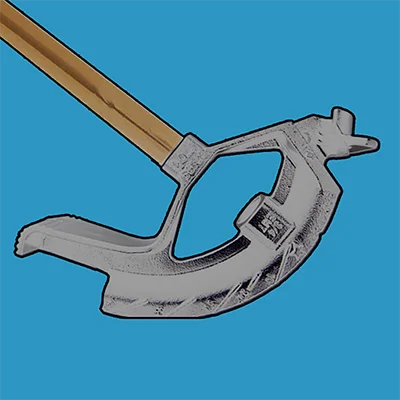
Working as an electrician or electrical apprentice requires precision, speed, and accuracy—especially when it comes to bending conduit. Whether you’re running EMT through a commercial building, installing rigid conduit in an industrial facility, or troubleshooting a complex electrical installation, the math behind conduit bending can be tedious and error-prone. Enter Conduit Bender Elite – Calc, a specialized calculator application designed to eliminate calculation errors, save valuable time on job sites, and help electricians create professional installations with confidence. Developed by Cyberprodigy LLC, this comprehensive tool has become an indispensable digital assistant for thousands of electrical professionals who need reliable, fast calculations for the various bending scenarios they encounter daily.
In this detailed guide, we’ll explore everything Conduit Bender Elite offers and how it can transform your electrical work from complicated guesswork into precise, efficient installations.
Table of Contents
What Is Conduit Bender Elite – Calc?
Conduit Bender Elite – Calc is a specialized Android application designed exclusively for electrical professionals who need to calculate, mark, and bend conduit accurately and efficiently. Unlike general-purpose calculator apps, this tool is purpose-built for the unique challenges electricians face when working with electrical metallic tubing (EMT), rigid conduit, PVC, and other pipe materials.
The app simplifies complex trigonometry and geometry calculations that would otherwise require manual computation, reference tables, or mental math that’s prone to errors. By providing instant, accurate measurements for various bend types, Conduit Bender Elite – Calc helps electricians focus on the installation itself rather than spending precious time double-checking their math.
Core Features at a Glance
The application supports numerous bend types including offset (far bend critical and near bend critical), rolling offset (far and near bend critical), three bend saddle, four bend saddle, parallel, 90° stub-up bend, kicked 90° bend, segmented 90° bend, back-to-back, rectangle obstruction, square obstruction, and round obstruction. This comprehensive coverage means you’ll have the right calculations for virtually any conduit bending scenario you encounter on the job.
Key Capabilities:
| Feature Category | Functionality | Professional Benefit |
|---|---|---|
| Bend Types | 14+ different bend configurations | Complete coverage for all installation scenarios |
| Visual Guides | Step-by-step diagrams for each bend | Clear instructions reduce errors |
| Unit Flexibility | Inches or centimeters | Works anywhere in the world |
| Customization | Adjustable deduct settings for ½” through 4″ conduit | Precise calculations for your specific equipment |
| Digital Level | Optional in-app purchase for angle measurement | Enhanced accuracy for complex bends |
| No Data Collection | Privacy-focused operation | Your work data stays on your device |
For electricians who need comprehensive electrical calculation capabilities beyond conduit bending, exploring tools like QuickBend: Conduit Bending can provide additional specialized functionality for more complex scenarios.
Supported Bend Types: Comprehensive Coverage
One of the greatest strengths of Conduit Bender Elite – Calc is its extensive support for virtually every type of bend electricians encounter in residential, commercial, and industrial installations.
Standard Bends and Offsets
Offset Bends: The app provides calculations for both far bend critical and near bend critical offsets. This distinction is crucial because depending on which measurement point is most important in your installation, the calculation approach changes. The app handles both scenarios seamlessly, ensuring your offset lands exactly where you need it.
Rolling Offsets: Rolling offsets combine lateral displacement with vertical rise or drop, making them one of the more complex calculations electricians face. The app supports both far bend critical and near bend critical rolling offsets, eliminating the trigonometry headache and providing instant, accurate measurements.
90° Stub-Up Bends: One of the most common bends in electrical work, stub-ups require knowing the deduct value for your specific conduit size and bender. The app includes customizable deduct settings for conduit sizes from ½” through 4″ (16-103mm), ensuring precision regardless of what you’re working with.
Kicked 90° Bends: Users praise how the app “makes back to back 90s and 90 kicks (with over an inch of shrinkage) a piece of cake”, demonstrating its effectiveness for these common yet tricky bends that combine a 90° bend with an additional angle.
Saddles and Obstructions
Three-Bend and Four-Bend Saddles: Saddles allow conduit to pass over obstructions while maintaining proper clearances. The three-bend saddle is standard, while the four-bend version provides a more gradual rise and fall. Both calculations are included with visual guides showing exactly where to mark your conduit.
Obstruction Workarounds: Real-world installations frequently require bending around obstacles. The app provides specific calculations for:
- Rectangle Obstructions: For ductwork, structural members, or equipment
- Square Obstructions: For columns, posts, or square equipment
- Round Obstructions: For pipes, tanks, or cylindrical equipment
Each obstruction type requires different geometric calculations, and the app handles them all with precise measurements and clear marking instructions.
Advanced Bends
Segmented 90° Bends: When working with larger conduit that can’t be bent in a single 90° sweep, segmented bends use multiple smaller angles to achieve the same result. This advanced technique is fully supported with automatic calculation of segment angles and spacing.
Back-to-Back Bends: These create a U-shape in conduit and require precise measurement to ensure both legs are parallel and the proper distance apart. The app calculates the critical measurements to achieve perfect alignment.
Parallel Conduit Runs: When running multiple conduits side-by-side, maintaining parallel alignment requires careful calculation. The app provides the measurements needed to keep your conduit runs professionally aligned.
For professionals working with various measurement tools and calculation needs, apps like Ultimate Car Audio App demonstrate how specialized calculators can enhance precision in technical fields—a principle that applies perfectly to electrical work.
User Interface and Ease of Use
The application is described as “an easy-to-use calculator designed to save Electricians time calculating, marking, and bending conduit” and is “packed with diagrams and step-by-step help for the various bends you will be performing”, making it accessible even for apprentices learning the trade.
Intuitive Design Philosophy
The app prioritizes speed and simplicity without sacrificing functionality. When you’re on a ladder or working in a tight space, you need information fast—the interface is designed for quick access to the calculations you need most frequently.
Navigation Structure:
- Bend Type Selection: Choose from the comprehensive list of supported bends
- Input Parameters: Enter your specific measurements (offset height, distances, angles, etc.)
- Instant Results: View calculated marking positions immediately
- Visual Reference: See diagrams showing exactly how to execute the bend
- Step-by-Step Instructions: Follow detailed guidance for marking and bending
Visual Guides and Diagrams
The application is “packed with diagrams and step-by-step help for the various bends you will be performing” and “simplifies the math and lets you focus on the installation”. These visual elements are invaluable, especially when training new apprentices or tackling a bend type you haven’t performed recently.
Each diagram clearly shows:
- Conduit positioning in the bender
- Marking locations with precise measurements
- Bender orientation (which direction the handle should face)
- Critical reference points for alignment
- Expected results after bending
Customization Options
Preference settings allow all calculations to be performed using inches or centimeters, and deduct settings for 90° bends can be customized for ½” through 4″ conduit (16-103mm). This flexibility ensures the app works with your specific equipment and regional measurement standards.
Customizable Parameters:
- Measurement Units: Switch between imperial (inches) and metric (centimeters)
- Deduct Values: Adjust for different bender manufacturers and models
- Take-Up Settings: Customize for your specific hand benders
- Default Preferences: Save your most common settings for faster access
Real-World Performance and User Feedback
Understanding how Conduit Bender Elite – Calc performs in actual job site conditions provides valuable insight into its practical value.
Positive User Experiences
Professional electricians report “I’m an amateur at bending pipe. This app tells you where to make your marks and which way to face your bender” and describe it as “the only bending app you’ll need. It’s worth the money”. This feedback from both experienced tradespeople and newcomers demonstrates the app’s universal applicability.
Another user emphasizes “This is the best conduit app out there. Extremely accurate and time saving. I was also able to use this app to teach a few guys how to do certain bends!”, highlighting its educational value beyond personal use.
Areas for Consideration
While the app receives strong praise, some users note limitations worth understanding before purchase. One user mentions “It’s great but there’s no way to change between 3/4-1-1 1/4 etc. It’s set up for 3/4 and that’s it. You can change the stubborn 90 take up preference. Not sure how that helps though”, suggesting potential limitations in conduit size flexibility on certain versions.
Some electricians feel that “for the money this bending app is not worth it” and recommend alternative apps like “Quick bend is best for android it has all bends and bender specs”, indicating that while the app is functional, competitors may offer more comprehensive features for similar or lower prices.
Performance Insights
The app has been downloaded over 20,000 times and maintains active use, with approximately 190 downloads in recent 30-day periods according to market data. This consistent adoption suggests ongoing value for the electrical professional community.
For electricians who appreciate mobile tools that enhance their technical capabilities, exploring precision instruments like LightMeter can demonstrate how specialized apps improve professional work quality across various trades.
Pricing and Value Analysis
Conduit Bender Elite – Calc is available on Google Play as a paid application priced at approximately $7.99. While this places it in the premium category for electrician apps, understanding the value proposition helps determine if it’s the right investment for your needs.
What You’re Paying For
Included Features:
- Complete access to 14+ bend type calculators
- Comprehensive visual diagrams for all bends
- Step-by-step bending instructions
- Customizable deduct and take-up settings
- Imperial and metric unit support
- No advertisements interrupting your work
- No data collection or privacy concerns
- One-time purchase with no recurring fees
Optional Add-On:
- Digital Level: Available as an in-app purchase for precise angle measurement
Cost-Benefit Consideration
When evaluating the $7.99 investment, consider these factors:
Time Savings: If the app saves you just 10 minutes per day by eliminating manual calculations and reducing measurement errors, that’s nearly an hour per week. For professional electricians billing $50-100+ per hour, the app pays for itself in the first week.
Error Reduction: Material waste from incorrect bends can easily exceed $7.99 in a single mistake. Preventing even one significant error justifies the purchase cost.
Training Value: Users report being “able to use this app to teach a few guys how to do certain bends”, making it a valuable training tool for shops with apprentices or junior electricians.
Professional Presentation: Accurate, professional-looking conduit work reflects well on your craftsmanship and can lead to additional business and referrals.
Comparing Alternatives
The electrical app market includes both free and paid options:
| App Category | Price Range | Typical Features | Best For |
|---|---|---|---|
| Free Basic Apps | $0 | Offset and saddle calculations | Occasional use, basic bends |
| Mid-Range Apps | $2.99-4.99 | Multiple bend types, some diagrams | Regular electricians |
| Premium Apps | $5.99-9.99 | Comprehensive bends, visuals, customization | Professional electricians, shops |
| Elite Apps | $10-15+ | All features, hydraulic bender support, advanced calculations | Commercial/industrial specialists |
Conduit Bender Elite – Calc sits in the premium category, offering extensive features without reaching the highest price tier. Whether this represents good value depends on your specific needs and how frequently you perform complex conduit bends.
Installation and Compatibility
Conduit Bender Elite – Calc is designed for Android devices and is available exclusively through Google Play Store. Understanding system requirements and compatibility ensures smooth operation on your device.
System Requirements
Android Version: While specific minimum version requirements aren’t explicitly stated, the app is designed for modern Android devices and should function on Android 5.0 (Lollipop) and above for optimal performance.
Device Specifications: The app is intentionally lightweight to ensure:
- Fast opening times, even on older devices
- Minimal memory usage
- Low processor power requirements
- Minimal battery drain
- Stable performance without crashes or lag
Installation Process
- Purchase: Visit Google Play and purchase the app ($7.99)
- Download: Install directly to your Android device
- Permissions: Grant necessary permissions (the app requests minimal permissions and collects no user data)
- Configuration: Set your preferred units (inches/centimeters) and deduct values
- Familiarization: Review the visual guides and practice with known measurements
Device Compatibility
The developer states “We strive to ensure compatibility with all new and existing Android devices. If you experience any problems with the layout/display of this app on your particular device please let us know so we can get it resolved”, demonstrating commitment to broad device support.
Optimal Devices:
- Smartphones with 5″ or larger screens for easy viewing of diagrams
- Tablets for enhanced visual clarity on job sites
- Ruggedized or protected devices for harsh work environments
Display Considerations: If you experience layout or display issues on your specific device, the developer encourages contacting their support team at [email protected] for resolution.
For professionals who rely on multiple specialized Android tools, apps like Site Audit Pro demonstrate how mobile applications can enhance efficiency across various technical professions.
Privacy and Data Security
In an era of increasing privacy concerns, understanding how apps handle your information is crucial, especially for professional tools used on job sites that may involve proprietary project information.
Data Collection Practices
The developer explicitly states “The developer does not collect any data from this app”, which is exceptional in today’s app ecosystem. This means:
No Tracking:
- Your measurements and calculations aren’t transmitted to external servers
- Usage patterns aren’t monitored or sold to third parties
- Job site information remains completely private
- No accounts or login requirements
Local Operation: All calculations occur entirely on your device, ensuring your project details remain confidential. This is particularly important for electricians working on sensitive installations or proprietary projects.
Permission Requirements: The app is requesting 2 permissions, which are minimal compared to many modern applications. These permissions are necessary for basic app functionality and don’t compromise your privacy.
Professional Implications
For electrical contractors and professionals, this privacy-first approach offers significant advantages:
- Client Confidentiality: No risk of project details being exposed
- Competitive Advantage: Your measurement techniques and project information stay private
- Regulatory Compliance: Easier to maintain compliance with data protection regulations
- Peace of Mind: Focus on work without privacy concerns
Developer Support and Updates
The quality of ongoing support can make or break the value of a professional tool. Cyberprodigy LLC demonstrates strong commitment to user satisfaction and continuous improvement.
Support Philosophy
The developer explicitly requests “If you are not 100% satisfied with this calculator please email us at [email protected] so we can make things right before posting negative reviews”, showing genuine interest in addressing user concerns.
They further state “We are also open to any suggestions you may have for future enhancements to this calculator”, demonstrating receptiveness to user feedback for continuous improvement.
Getting Support
Contact Information:
- Email Support: [email protected]
- Response Time: Users report responsive support for technical issues
- Issue Resolution: The developer works to resolve display/layout problems on specific devices
Recommended Approach: Before leaving negative reviews, reach out to support with:
- Specific issue description
- Device model and Android version
- Screenshots if applicable
- Steps to reproduce the problem
This cooperative approach often results in quick resolution and potential app updates that benefit all users.
For professionals who value quality support in their digital tools, exploring well-supported applications like Ugly’s Electrical References can provide comprehensive reference materials that complement calculation tools.
Practical Tips for Maximum Effectiveness
Getting the most value from Conduit Bender Elite – Calc requires understanding not just how to use it, but how to integrate it effectively into your workflow.
Setup Optimization
Initial Configuration:
- Verify Your Bender Specifications: Measure or reference your bender’s actual deduct values for different conduit sizes
- Customize Deduct Settings: Enter accurate values for ½” through 4″ conduit based on your equipment
- Set Preferred Units: Choose inches or centimeters based on your regional standards
- Test Known Bends: Verify app accuracy against bends you’ve successfully completed manually
Workflow Integration
On-Site Best Practices:
- Pre-calculate: Review measurements before ascending ladders or entering tight spaces
- Screenshot Results: Capture calculation screens for reference during installation
- Verify Measurements: Double-check app results against project specifications
- Mark Clearly: Use permanent markers and clear notation based on app guidance
- Keep Device Protected: Use ruggedized cases to prevent damage in harsh work environments
Training Applications
Teaching Apprentices: The app excels as an educational tool:
- Visual Learning: Show diagrams to explain bend geometry
- Calculation Transparency: Demonstrate how measurements are derived
- Consistent Methods: Standardize bending techniques across your crew
- Quick Reference: Provide reliable resource for common questions
Frequently Asked Questions About Conduit Bender Elite – Calc
What conduit sizes does Conduit Bender Elite – Calc support?
Conduit Bender Elite – Calc provides customizable deduct settings for conduit sizes ranging from ½ inch through 4 inches (16-103mm), covering the most common sizes used in residential, commercial, and industrial electrical installations. However, some users have reported limitations with switching between different conduit sizes on certain app versions, noting that the interface may be primarily configured for ¾ inch conduit with the ability to adjust stub-up 90° take-up preferences. For accurate results with your specific conduit size and bender combination, it’s essential to customize the deduct settings in the app’s preferences to match your actual equipment specifications. If you encounter difficulties adjusting settings for different conduit sizes, contact the developer support team at [email protected] for guidance, as they actively work to resolve user-specific issues and may provide updates addressing these concerns.
Does Conduit Bender Elite – Calc work with hydraulic benders like the Greenlee 555?
Conduit Bender Elite – Calc is primarily designed for hand benders used with EMT (electrical metallic tubing), rigid conduit, and PVC pipe in typical electrical installations. Users have noted that the app has limitations when used with hydraulic benders like the Greenlee 555 with specialized shoes, particularly for materials like Ocal that have different bending characteristics than standard EMT. One user specifically mentioned that while the app helps with unconventional bends for ½ inch to 2 inch Ocal, it doesn’t account for the adjustable bending radius, adjustable pipe outside diameter, or adjustable bending mark locations that hydraulic bender systems require—for example, a Greenlee 555 with ¾ inch Ocal has a centerline bending radius of 5 7/16 inches but a deduct of 9 inches. For electrical professionals regularly using hydraulic bending equipment, specialized apps designed specifically for these systems may provide more accurate results, though Conduit Bender Elite – Calc remains valuable for hand bending applications.
Is there a free trial or demo version of Conduit Bender Elite – Calc available?
Conduit Bender Elite – Calc is a paid application priced at approximately $7.99 on Google Play Store, and there is no free trial or demo version currently available for testing before purchase. This is a one-time purchase with no subscription fees, providing permanent access to all included features. Given the lack of a trial period, potential buyers should carefully review the app’s feature list, supported bend types, and user reviews before purchasing to ensure it meets their specific needs. The developer offers a satisfaction guarantee of sorts, explicitly requesting that users contact support at [email protected] if they’re not completely satisfied, stating they want to “make things right before posting negative reviews.” While this doesn’t constitute a formal refund policy, it demonstrates the developer’s commitment to user satisfaction. If you’re uncertain whether the app is right for you, consider starting with free basic conduit bending calculators to evaluate whether digital calculation tools improve your workflow before investing in premium options.
Conclusion: Is Conduit Bender Elite – Calc Right for You?
Conduit Bender Elite – Calc represents a specialized solution for electrical professionals who want to eliminate calculation errors, save time, and create more precise installations. With support for 14+ bend types, comprehensive visual guides, customizable settings, and a privacy-first approach with no data collection, the app delivers genuine value for electricians who regularly work with conduit.
The app’s greatest strengths lie in its ease of use, visual clarity, and comprehensive bend coverage. Users consistently praise its accuracy and time-saving capabilities, with professionals using it to “teach a few guys how to do certain bends”, demonstrating value beyond personal use. The step-by-step diagrams and clear marking instructions make it accessible to apprentices while remaining valuable for experienced journeymen and master electricians.
However, the $7.99 price point places it in the premium category, and some users feel competitive apps offer better value with more comprehensive features, particularly regarding multiple conduit size support and hydraulic bender compatibility. The app appears optimized for hand bending with standard benders rather than industrial hydraulic equipment, which may limit its appeal for specialized applications.
Ideal Users:
- Residential and commercial electricians performing standard conduit work
- Electrical apprentices learning proper bending techniques
- Contractors seeking to standardize bending methods across crews
- Professionals who value privacy and no-data-collection policies
- Electricians working primarily with ½ inch through 4 inch EMT
Consider Alternatives If:
- You primarily use hydraulic bending equipment
- You need extensive customization for non-standard benders
- Budget constraints make $7.99 seem excessive
- You only occasionally perform simple offsets and saddles
Ultimately, Conduit Bender Elite – Calc fills a specific niche in the electrical professional’s digital toolbox. If your work regularly involves calculating various bend types and you value having visual guides and step-by-step instructions readily available on your smartphone, the app’s benefits likely justify the modest investment. Download it from Google Play to experience how digital tools can enhance the precision and efficiency of your electrical installations. Your conduit work—and your clients—will benefit from the increased accuracy this specialized calculator provides.
📥 Download Conduit Bender Elite – Calc APK Latest Version (Premium Unlocked)
Note: This version is safe. You can scan it yourself via VirusTotal.