Poseit APK: 3D Pose Reference Models for Artists & Figure Drawing
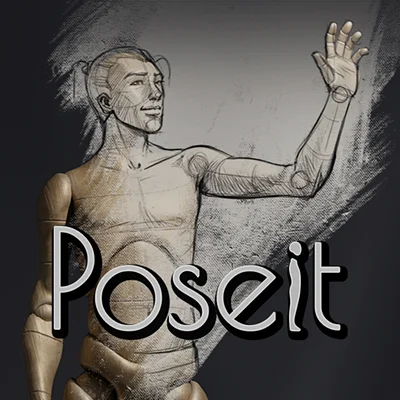
For digital artists, illustrators, and anyone learning to draw the human figure, one of the most persistent challenges is mastering anatomy and poses. Poseit emerges as an indispensable tool that revolutionizes how artists approach figure drawing by providing customizable 3D pose references directly on their Android devices. Whether you’re a professional concept artist working on character designs, a student learning fundamental anatomy, or a hobbyist sketching for pleasure, having access to accurate, adjustable human poses transforms your creative process and accelerates skill development.
Table of Contents
This comprehensive guide explores everything you need to know about Poseit, from its powerful features to practical applications that will elevate your artwork and help you overcome the common frustrations of figure drawing.
What Is Poseit and Why Artists Love It
Poseit is a sophisticated pose reference application designed specifically for artists who need dynamic, customizable human figure models. Unlike static reference photos or expensive physical mannequins, this app provides fully articulated 3D models that you can manipulate into virtually any pose imaginable. The intuitive interface allows you to rotate, bend, and position limbs with precision, creating the exact reference you need for your artwork.
What sets Poseit apart is its understanding of artists’ specific needs—proper anatomical proportions, natural movement ranges, and the ability to experiment with challenging perspectives that would be difficult or impossible to photograph. The app serves as your personal model that never gets tired, works in any lighting condition, and assumes any position you require.
Essential Features That Transform Your Drawing Process
Fully Articulated 3D Models
The core functionality of Poseit revolves around highly detailed 3D human models with complete skeletal structure and joint articulation. Every major joint moves realistically, respecting natural human range of motion while preventing impossible positions that would look awkward in finished artwork:
- Full body control: Manipulate head, torso, arms, hands, legs, and feet independently
- Finger articulation: Position individual fingers for expressive hand gestures
- Realistic joint limits: Natural constraints prevent anatomically impossible poses
- Proportion accuracy: Models maintain proper human proportions across different body types
Multiple Model Options
Understanding that artists draw diverse characters, Poseit offers various model types:
- Male and female figures: Distinct anatomical characteristics
- Different body types: Athletic, average, and varied builds
- Height adjustments: Scale models to represent different character heights
- Muscular definition options: Vary visibility of muscle groups for different reference needs
These options ensure you’re not limited to a single body type, allowing for more diverse and representative character creation.
Camera and Lighting Controls
Professional artists know that perspective and lighting dramatically affect how poses read in finished artwork. Poseit provides comprehensive control over viewpoint and illumination:
- 360-degree rotation: View your pose from any angle
- Zoom and pan: Focus on specific body parts or see the full figure
- Perspective adjustment: Switch between natural and exaggerated perspectives
- Lighting direction: Position light sources to understand shadow patterns and form
- Multiple light sources: Complex lighting setups for advanced studies
For artists who also work with digital illustration tools, ibis Paint offers excellent painting and drawing features that complement the reference capabilities of Poseit, creating a complete mobile art creation workflow.
Practical Applications Across Artistic Disciplines
Comic Book and Manga Artists
Sequential art demands consistent character poses across multiple panels, often from various angles. Poseit enables comic creators to:
- Maintain character proportion consistency throughout stories
- Plan dynamic action sequences with complex foreshortening
- Reference difficult angles without extensive photo shoots
- Create reference sheets showing characters from multiple viewpoints
- Study how clothing and accessories would drape on different poses
Concept Art and Character Design
Professional concept artists working in gaming, film, and animation industries benefit enormously from pose reference tools. Poseit supports:
- Character turnarounds: Generate reference for front, side, and back views
- Action pose ideation: Experiment with dynamic stances for character concepts
- Anatomical accuracy: Ensure character designs maintain believable proportions
- Client presentations: Create clear pose references to communicate ideas
If you’re creating original characters, pairing Poseit with Neku provides both anatomical reference and character customization tools for comprehensive character development.
Art Education and Skill Development
Students and self-taught artists use Poseit as an educational resource:
- Study human anatomy through adjustable 3D models
- Practice foreshortening without live models
- Build visual libraries of common poses
- Understand how muscles and bones create surface forms
- Complete gesture drawing exercises with timed pose challenges
Animation and Storyboarding
Animators and storyboard artists require multiple poses showing movement progression. Poseit facilitates:
- Keyframe planning for animation sequences
- Storyboard thumbnail creation with consistent proportions
- Walk cycle references
- Complex action choreography visualization
- Camera angle planning for dynamic scenes
How to Maximize Poseit for Better Artwork
Creating Effective Pose References
Getting the most from Poseit requires understanding how to set up references that serve your specific artistic needs:
- Start with basic pose structure: Block in the general stance before refining details
- Consider weight distribution: Ensure the pose shows proper balance and weight shift
- Check from multiple angles: Rotate the model to verify the pose works from all viewpoints
- Add context with props: Use the app’s prop features when available to show interaction with objects
- Save successful poses: Build a library of frequently used poses for quick access
Integration with Your Drawing Workflow
Poseit works best as part of a comprehensive artistic process:
- Gesture phase: Use quick poses to capture movement energy
- Structure building: Reference anatomical landmarks for accurate proportion
- Form refinement: Study how light reveals three-dimensional form
- Detail addition: Zoom into specific areas like hands or feet for intricate work
- Final verification: Check finished artwork against reference for anatomical accuracy
For artists working on complete illustrations, Picsart AI Photo Editor, Video offers post-processing capabilities that can enhance drawings created with Poseit references, adding effects, adjustments, and finishing touches.
Comparing Poseit to Alternative Reference Solutions
| Feature | Poseit | Photography References | Physical Mannequins | Other Pose Apps |
|---|---|---|---|---|
| Customization | ✓ Fully Adjustable | ✗ Fixed Poses | ✓ Adjustable | ✓ Varies |
| Anatomical Accuracy | ✓ High | ✓ Perfect (Real) | ✓ Basic | ✓ Medium-High |
| Angle Flexibility | ✓ 360° Unlimited | ✗ Limited Shots | ✓ Manual Rotation | ✓ Usually Good |
| Lighting Control | ✓ Customizable | ✗ Fixed | ✗ Room Dependent | ✓ Sometimes |
| Portability | ✓ Phone/Tablet | ✓ Photo Library | ✗ Physical Object | ✓ Digital |
| Cost | Free/Premium | Free-Varies | $20-$200+ | Free-Premium |
| Learning Curve | ✓ Moderate | ✗ None | ✗ Minimal | ✓ Low-Moderate |
Advanced Techniques for Professional Results
Understanding Anatomical Landmarks
Poseit helps you identify and memorize crucial anatomical landmarks that artists use to maintain proportion:
- Head height measurement: Adult figures typically measure 7-8 heads tall
- Shoulder-to-hip relationship: Understanding torso proportions and twist
- Limb length ratios: Arms and legs relative to torso dimensions
- Joint placement: Elbows, knees, and wrists at specific body divisions
- Balance line: The central line of gravity for standing poses
Creating Dynamic Action Poses
Static standing poses have their place, but dynamic action draws viewer attention. Use Poseit to explore:
- Line of action: The primary curve that describes overall pose energy
- Contrapposto: Weight shift creating natural, relaxed standing poses
- Foreshortening: Dramatic perspective where limbs point toward viewer
- Tension and relaxation: Which muscles flex and which rest in specific actions
- Momentum indicators: How body parts lag or lead during movement
Building a Personal Reference Library
Organize your Poseit creations systematically:
- Category folders: Sort by pose type (standing, sitting, action, etc.)
- Difficulty markers: Tag challenging perspectives for practice
- Project-specific collections: Gather references for current artwork series
- Style variations: Same pose with different body types or angles
- Seasonal review: Revisit saved poses to track skill improvement
Those interested in creating comprehensive artistic resources might also explore Stop Motion Studio Pro for understanding movement sequences and how poses transition naturally—valuable knowledge for both illustrators and animators.
Overcoming Common Figure Drawing Challenges
Hands and Feet Complexity
Artists often struggle with extremities. Poseit addresses this by:
- Allowing close-up focus on hand and foot anatomy
- Showing finger and toe articulation clearly
- Demonstrating how perspective affects these complex forms
- Providing natural hand gestures for reference
- Revealing underlying bone structure that creates surface appearance
Foreshortening Difficulties
Drawing body parts coming toward or away from the viewer challenges many artists. The app helps by:
- Showing how forms compress in extreme perspective
- Revealing overlapping relationships between body parts
- Demonstrating proportion changes in dramatic angles
- Allowing experimentation without photography equipment
- Building confidence through repeated exposure to challenging views
Consistent Character Proportions
Maintaining the same character proportions across multiple drawings becomes easier when you:
- Save baseline pose with correct proportions
- Use the same model settings for all character appearances
- Create turnaround reference sheets
- Check work-in-progress against saved references
- Build muscle memory through consistent model use
Tips for Beginners and Intermediate Artists
Starting Your Poseit Journey
If you’re new to pose reference apps, follow this progression:
- Week 1-2: Practice with simple standing poses from various angles
- Week 3-4: Attempt seated and crouching positions
- Month 2: Explore dynamic action poses with foreshortening
- Month 3+: Create custom complex poses for specific artwork needs
- Ongoing: Build personal reference library for quick access
Avoiding Over-Reliance on References
While Poseit is invaluable, developing drawing skills requires balance:
- Draw from imagination first: Attempt poses without reference, then check accuracy
- Study, don’t trace: Use references to understand form, not copy exactly
- Vary your sources: Combine Poseit with life drawing, photos, and observation
- Focus on principles: Learn why anatomy works rather than memorizing specific poses
- Timed exercises: Practice quick gesture drawings to develop visual memory
For comprehensive art skill development, Penly: Digital Planner & Notes helps organize your practice schedule, track progress, and maintain consistent study habits alongside technical tools like Poseit.
Premium Features and Subscription Value
Free vs. Premium Capabilities
Poseit offers substantial functionality in its free version, but premium unlocks enhanced features:
Free Version Includes:
- Basic male and female models
- Standard pose manipulation
- Camera rotation and zoom
- Basic lighting options
- Screenshot capability
Premium Subscription Adds:
- Additional body types and proportions
- Advanced hand and finger articulation
- Multiple figures in scene for interaction poses
- Expanded lighting controls
- Prop objects for context
- No advertisements
- Priority updates and support
The premium pricing remains reasonable compared to physical mannequins or professional photography sessions, making it accessible for serious artists while providing sufficient free functionality for casual users.
Device Optimization and Performance Tips
Getting the Best Performance
Maximize Poseit’s performance on your Android device:
- Storage management: Clear cache periodically if experiencing slowdowns
- Graphics settings: Adjust quality if using older devices
- Background apps: Close unnecessary apps for smoother 3D rendering
- Regular updates: Install app updates for performance improvements
- Device capabilities: Higher-end devices handle complex lighting and multiple figures better
Screen Real Estate Solutions
For optimal reference viewing while drawing:
- Use split-screen functionality on supported devices
- Position Poseit on a secondary device while drawing on tablet
- Screenshot references for offline viewing
- Cast to larger screens for detailed study sessions
- Use picture-in-picture mode when available
The Future of Digital Art References
Pose reference technology continues evolving rapidly. Future Poseit developments may include:
- Enhanced AI-powered pose suggestions based on artwork context
- Integration with augmented reality for spatial reference
- Collaborative features for shared reference libraries
- Expanded animal and creature models
- Dynamic pose animation showing movement transitions
- Machine learning that adapts to individual artist preferences
Staying current with these tools ensures you maintain competitive advantages in increasingly digital artistic landscapes.
Conclusion: Elevating Your Artistic Journey with Poseit
Poseit represents far more than a simple reference tool—it’s a comprehensive solution to one of art’s most persistent challenges: accurately depicting the human figure. By providing unlimited, customizable pose references at your fingertips, the app eliminates barriers between artistic vision and execution, allowing you to focus on creativity rather than struggling with proportion and anatomy.
Whether you’re just beginning your artistic journey or you’re a seasoned professional seeking efficient workflow solutions, Poseit delivers invaluable assistance. The app’s combination of anatomical accuracy, infinite customization, and practical accessibility makes it an essential addition to any digital artist’s toolkit.
Don’t let anatomical uncertainty hold your artwork back. Download Poseit today and discover how proper reference transforms your ability to create confident, dynamic figure drawings. Your characters deserve accurate representation, and your artistic development deserves the best possible support tools. The path to mastering figure drawing begins with a single pose—start creating yours now.
Frequently Asked Questions (FAQs)
1. Is Poseit suitable for complete beginners who are just learning to draw?
Absolutely! Poseit is excellent for beginners because it helps you understand fundamental anatomical proportions and spatial relationships that are difficult to grasp from flat reference images alone. The ability to rotate poses and view them from any angle accelerates learning by showing how three-dimensional forms work together. Beginners benefit from starting with simple standing poses and gradually progressing to more complex positions as their understanding develops. The app essentially functions as an always-available art teacher, showing correct proportions and natural movement ranges. Many art instructors actually recommend pose reference apps like Poseit for students because they provide consistent, anatomically accurate references that support skill development without the expense of live models or photography equipment.
2. Can I use Poseit references for commercial artwork without copyright concerns?
Generally, using Poseit as a reference for creating original artwork is acceptable for commercial purposes, as you’re using the app as an anatomical study tool rather than copying copyrighted content. The poses you create serve as references for understanding form and proportion—your finished artwork is your own creative expression. However, directly tracing and reproducing the 3D models without substantial transformation would be problematic. The key distinction is that Poseit helps you draw figures correctly rather than providing ready-made art to copy. For absolute clarity on commercial usage rights, review the app’s current terms of service, as policies can evolve. Most professional artists use pose references (digital or photographic) as structural guides while adding their own stylistic interpretation, character features, and creative elements.
3. How does Poseit compare to hiring a live model or taking reference photos?
Poseit offers distinct advantages over traditional reference methods, though each approach has value. Live models provide authentic anatomy, natural weight distribution, and real lighting that photography captures perfectly—these remain the gold standard for realism. However, Poseit excels in convenience, cost-effectiveness, and flexibility. You can create references instantly at any time without scheduling, studio space, or model fees. The app allows impossible-to-photograph angles, extreme perspectives, and perfect anatomy without the natural variations that sometimes complicate learning. Many professional artists use a combination approach: studying life models and photos to understand real human forms while using Poseit for specific poses, difficult angles, or when traditional references aren’t available. The ideal strategy is treating Poseit as one valuable tool within a broader reference arsenal.
📥 Download Poseit APK Latest Version (Premium Unlocked)
Note: This version is safe. You can scan it yourself via VirusTotal.