Voi – AI Avatar Portrait Maker APK: Selfie-to-Avatar App
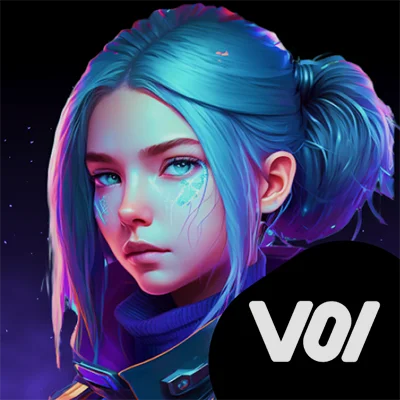
In today’s digital age, standing out on social media requires more than just ordinary selfies. Enter Voi – AI Avatar Portrait Maker, an innovative application that leverages artificial intelligence to transform your everyday photos into extraordinary avatar portraits. Whether you’re looking to refresh your profile picture, create engaging content for social platforms, or simply explore creative digital art, this AI-powered tool promises to unleash your imagination with just a few taps.
Table of Contents
What Is Voi – AI Avatar Portrait Maker?
Voi – AI Avatar Portrait Maker is a cutting-edge mobile application that uses advanced artificial intelligence algorithms to convert your selfies into unique, stylized avatar portraits. By simply uploading a handful of photos, the app analyzes your facial features and generates personalized digital art in various creative styles. From transforming yourself into an astronaut exploring outer space to seeing what you might look like decades into the future, Voi opens up endless creative possibilities.
The application allows users to turn themselves into diverse personas including astronauts, favorite movie characters, video game characters, and even age-progressed versions showing what they might look like at 60 years old. This versatility makes it an attractive option for anyone interested in AI-generated art, digital creativity, or social media content creation.
Key Features That Define Voi’s Avatar Creation Experience
AI-Powered Avatar Generation
At its core, Voi – AI Avatar Portrait Maker utilizes sophisticated machine learning models trained on millions of images to understand facial structures, expressions, and artistic styles. When you upload your photos, the AI processes these images to create a personalized model of your appearance, which it then applies to various creative templates and scenarios.
The technology behind avatar creation apps has evolved significantly, much like how Picsart AI Photo Editor, Video revolutionized mobile photo editing with AI-powered features. These applications demonstrate how artificial intelligence is democratizing creative tools that were once exclusive to professional designers.
Diverse Avatar Style Options
Voi enables users to create various avatar types including fantasy characters, animation characters, and even matching couple avatars with loved ones. This feature variety ensures that whether you’re looking for professional profile pictures, playful social media content, or personalized gifts, the app provides suitable options.
Here’s a breakdown of popular avatar categories available:
| Avatar Category | Description | Best Use Case |
|---|---|---|
| Professional | Clean, polished portraits | LinkedIn, business profiles |
| Fantasy | Magical, otherworldly personas | Gaming avatars, creative projects |
| Futuristic | Sci-fi themes like astronauts | Tech-related content, inspiration |
| Aged Progression | Future-you at 60+ years | Fun experiments, time-lapse concepts |
| Animated Style | Cartoon or anime-inspired looks | Social media, casual profiles |
| Couple Avatars | Matching designs for partners | Relationship milestones, gifts |
Social Sharing Integration
Once your AI-generated avatars are ready, Voi – AI Avatar Portrait Maker facilitates easy sharing across multiple platforms. Users can share their unique avatars on social media or with friends, creating opportunities for viral content. This built-in sharing functionality recognizes that digital art creation is often inherently social, meant to be displayed and appreciated by others.
How to Use Voi – AI Avatar Portrait Maker Effectively
Step-by-Step Avatar Creation Process
Creating your personalized avatar with Voi – AI Avatar Portrait Maker involves a straightforward process:
- Download and Install: Get the app from Google Play Store
- Upload Photos: Select 10-15 high-quality photos of yourself from various angles
- Choose Your Style: Select from preset personas or create custom avatar styles
- AI Processing: Wait for the artificial intelligence to analyze your features and generate avatars
- Review and Share: Browse your generated avatars and share favorites on social platforms
Photo Selection Best Practices
For optimal results with AI avatar generation, consider these recommendations:
- Variety is key: Include different angles, expressions, and lighting conditions
- High-quality images: Use clear, well-lit photos without heavy filters
- Close-up shots: Ensure your face is clearly visible and occupies most of the frame
- Natural expressions: Mix serious and smiling photos for diverse avatar outputs
- Avoid accessories: Limit sunglasses, hats, or items that obscure facial features
Similar to how Neku allows users to create original characters with customizable features, Voi empowers personal expression through AI-generated interpretations of your actual appearance.
Understanding the Premium Model
Free vs. Premium Features
Voi offers a free version where users can create AI avatars with ready-to-use personas, while premium subscriptions provide unlimited creations for custom personas. Understanding this distinction helps users make informed decisions about whether the premium investment aligns with their creative needs.
Free Version Includes:
- Access to preset avatar personas
- Limited generation credits
- Basic sharing capabilities
- Standard resolution outputs
Premium Subscription Offers:
- Unlimited custom persona creation
- Higher-quality image outputs
- Priority processing speeds
- Access to all style categories
- No watermarks on final images
Investment Considerations
The subscription model for Voi – AI Avatar Portrait Maker includes both weekly and yearly options, with subscriptions automatically renewing unless auto-renew is turned off at least 24 hours before the end of the current period. Users should evaluate their anticipated usage frequency and creative objectives before committing to a subscription.
It’s worth noting that many AI avatar applications follow similar premium models, recognizing the computational costs associated with running complex machine learning algorithms. Apps like AI Photo Editor – PhotoArt similarly offer tiered pricing structures that balance accessibility with sustainability.
Creative Applications and Use Cases
Professional Profile Enhancement
Voi – AI Avatar Portrait Maker excels at creating polished profile pictures suitable for professional networking platforms. Rather than using a standard headshot, you can generate artistic interpretations that maintain professionalism while showcasing personality. This approach helps you stand out in crowded digital spaces like LinkedIn, professional portfolios, or business websites.
Social Media Content Strategy
Content creators constantly seek fresh, engaging material for their audiences. AI-generated avatars provide several content opportunities:
- Profile picture updates: Regular refreshes keep your presence dynamic
- Story content: Behind-the-scenes looks at avatar creation process
- Comparison posts: Before/after or real-vs-avatar comparisons
- Themed content: Holiday-specific or event-related avatar styles
- Interactive challenges: Encouraging followers to create and share their own avatars
Personalized Digital Gifts
The application enables users to create gifts for loved ones, mesmerizing paintings on canvas, or viral social media posts. Custom avatars of friends or family members make unique, thoughtful gifts that demonstrate creative effort. You might commission a canvas print of someone’s avatar for a birthday, anniversary, or special milestone.
For those interested in creating complementary visual content, tools like CapCut allow you to incorporate AI avatars into video projects, expanding creative possibilities beyond static images.
Technical Performance and User Experience
AI Processing Quality
The quality of AI-generated avatars depends on several factors including photo input quality, chosen style complexity, and the underlying machine learning models. The app size is approximately 135 MB and requires Android 7.0 or higher, indicating substantial computational resources dedicated to on-device processing and style application.
User experiences with avatar quality vary based on expectations and photo selection. The most successful results typically come from:
- Following recommended photo guidelines carefully
- Selecting styles that complement your features
- Experimenting with multiple generation attempts
- Providing diverse photo inputs for better AI training
Device Compatibility and Requirements
Voi – AI Avatar Portrait Maker is designed for modern Android devices, ensuring broad compatibility across smartphones and tablets. The app’s performance scales based on device capabilities, with newer, more powerful processors handling AI computations faster than older hardware.
For users seeking similar creative tools across different media types, Edits offers complementary photo and video editing capabilities that work alongside avatar creation apps in a comprehensive content creation workflow.
Privacy and Data Considerations
Photo Upload Security
When using AI avatar applications, understanding privacy implications is crucial. Your uploaded photos are processed through cloud-based AI systems to generate avatars, raising valid questions about data storage, usage, and protection. Privacy practices may vary based on the features users employ or their age, emphasizing the importance of reviewing the app’s privacy policy.
Best Practices for Privacy Protection
Consider these privacy-conscious approaches when using Voi – AI Avatar Portrait Maker:
- Review the app’s privacy policy before uploading photos
- Use photos you’re comfortable sharing with third-party services
- Avoid uploading sensitive or compromising images
- Understand data retention policies and deletion options
- Consider creating a separate account for avatar experiments
Maximizing Your Voi Experience
Creative Experimentation Tips
To get the most value from Voi – AI Avatar Portrait Maker, approach it with an experimental mindset:
Do:
- Try multiple style combinations
- Update your photo set periodically for fresh results
- Share creations to gather feedback
- Explore themed avatar series for storytelling
- Combine avatars with other creative apps
Don’t:
- Expect perfection on first attempts
- Use the same photos repeatedly
- Limit yourself to obvious style choices
- Ignore composition principles in outputs
- Forget to save your favorite generations
Integrating Avatars Into Broader Content Strategy
AI-generated avatars work best as part of a comprehensive digital presence strategy. Consider how avatars complement your existing content rather than replacing traditional photography entirely. They excel at adding variety, showcasing creativity, and engaging audiences in novel ways.
Comparing Voi to Alternative Avatar Apps
While Voi – AI Avatar Portrait Maker offers robust features, understanding the broader AI avatar landscape helps contextualize its position:
Strengths:
- Diverse style options covering multiple aesthetic categories
- Couple avatar feature for relationship-focused content
- Regular updates with performance optimizations
- Integration with social sharing platforms
Considerations:
- Premium pricing structure may not suit all budgets
- Results quality varies based on input photo selection
- Processing times depend on server load and complexity
The AI avatar market continues evolving rapidly, with applications constantly improving algorithms and expanding style offerings to meet growing demand for personalized digital art.
The Future of AI Avatar Technology
Emerging Trends in Digital Persona Creation
The AI avatar industry is experiencing explosive growth, driven by increasing social media usage, metaverse developments, and advancing machine learning capabilities. Future iterations of apps like Voi – AI Avatar Portrait Maker will likely incorporate:
- Real-time avatar generation with faster processing
- Video avatar creation beyond static images
- Enhanced customization with granular control
- AR integration for trying avatars in real-world contexts
- Collaborative features for group avatar projects
Implications for Digital Identity
As AI-generated avatars become more sophisticated and accessible, they’re reshaping how we present ourselves online. The boundary between photographic representation and artistic interpretation blurs, offering new forms of self-expression that balance authenticity with creativity. This shift raises interesting questions about digital identity, personal branding, and the nature of online representation.
Making an Informed Decision
Is Voi Right for You?
Consider Voi – AI Avatar Portrait Maker if you:
✅ Actively maintain multiple social media profiles
✅ Value unique, eye-catching visual content
✅ Enjoy experimenting with creative digital tools
✅ Need fresh profile picture options regularly
✅ Want to create personalized gifts for others
It may not be ideal if you:
❌ Prefer exclusively traditional photography
❌ Have limited interest in social media presence
❌ Are uncomfortable with AI processing your photos
❌ Prefer one-time purchases over subscriptions
❌ Need professional-grade consistency above creativity
Final Recommendations
Voi – AI Avatar Portrait Maker represents the exciting intersection of artificial intelligence and personal creativity. While it requires financial investment for full feature access and results depend significantly on input quality, the app delivers engaging, shareable content that stands out in crowded digital spaces.
For maximum value, approach the app as a creative tool rather than a magic solution. Invest time in selecting quality photos, experimenting with various styles, and learning what works best for your features and objectives. When used thoughtfully, Voi can enhance your digital presence and provide unique artistic interpretations of your appearance.
The app works best as part of a broader creative toolkit alongside complementary applications for photo editing, video creation, and content design. By understanding its capabilities and limitations, you can leverage Voi – AI Avatar Portrait Maker effectively to enhance your visual storytelling and digital identity.
Frequently Asked Questions About Voi – AI Avatar Portrait Maker
Q: How many photos do I need to upload to create avatars with Voi, and what type of photos work best?
A: To create avatars with Voi – AI Avatar Portrait Maker, you typically need to upload 10-15 photos of yourself. For optimal results, provide a diverse selection showing different angles (front, side, three-quarter), various expressions (smiling, neutral, serious), and different lighting conditions. The photos should be clear, high-resolution, and feature your face prominently without heavy filters or obstructions like sunglasses. Close-up shots where your face occupies most of the frame generally produce better results than full-body images. The AI uses these photos to learn your facial features and create a personalized model that it applies to different artistic styles. More variety in your photo set leads to more accurate and versatile avatar generations across different personas and themes.
Q: Does Voi – AI Avatar Portrait Maker offer any free features, or do I need to pay immediately?
A: According to the app’s description, Voi offers a free version that allows users to create AI avatars using ready-to-use preset personas. However, many user reviews indicate that the free functionality is limited, with most custom avatar creation requiring either in-app purchases or a premium subscription. The premium subscription unlocks unlimited custom persona creation, removes watermarks, and provides access to all style categories. Subscription options include both weekly and yearly plans with automatic renewal. Before committing to a paid subscription, evaluate whether the preset personas in the free version meet your needs, or if you require the full customization capabilities that come with premium access. Understanding your creative objectives and anticipated usage frequency helps determine whether the investment aligns with your goals.
Q: Can I use the avatars created by Voi for commercial purposes or social media branding?
A: While Voi – AI Avatar Portrait Maker allows users to create and share avatars on social media platforms, the specific licensing terms for commercial use should be reviewed in the app’s Terms of Service. Generally, avatars created through the app can be used for personal social media profiles, content sharing, and personal branding purposes. However, for explicitly commercial applications such as selling products featuring your avatars, using them in advertising campaigns, or incorporating them into commercial designs, you should review the licensing agreement carefully or contact the developers for clarification. The app is primarily designed for personal creative expression and social media engagement, making it well-suited for profile pictures, personal content creation, and gifts for loved ones. Always verify usage rights before incorporating AI-generated avatars into commercial projects to ensure compliance with the developer’s terms.
📥 Download Voi – AI Avatar Portrait Maker APK Latest Version (Premium Unlocked)
Note: This version is safe. You can scan it yourself via VirusTotal.