Papa’s Pizzeria To Go! APK: Master the Art of Pizza Making on Your Mobile Device
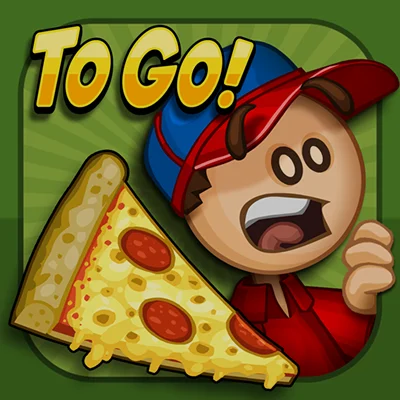
If you’ve ever dreamed of running your own pizza restaurant without the stress of actual kitchen burns and angry customers, Papa’s Pizzeria To Go! delivers that experience right to your smartphone. Developed by Flipline Studios, this mobile adaptation of the beloved browser classic has been serving up virtual pizzas since 2014, and it remains one of the most engaging time-management games available on Android devices today.
Papa’s Pizzeria To Go! isn’t just another mindless mobile game—it’s a carefully crafted restaurant simulation that tests your multitasking abilities, precision, and customer service skills. Whether you’re a longtime fan of the Papa’s franchise or discovering it for the first time, this comprehensive guide will help you master every station and maximize your tips.
Table of Contents
What Makes Papa’s Pizzeria To Go! Stand Out?
The Papa’s restaurant series has spawned over a dozen different food-themed games, but Papa’s Pizzeria To Go! holds a special place as the game that started the mobile revolution for the franchise. This isn’t a watered-down port—it’s a complete reimagining that takes full advantage of touchscreen controls.
Core Gameplay Mechanics
At its heart, the game places you in control of a bustling pizzeria where you must manage four distinct stations throughout each shift. You’ll play as either Roy or Joy, filling in for Papa Louie who has conveniently left for another “adventure” and left you to run the entire restaurant solo.
The Four Essential Stations:
| Station | Function | Key Skills Required |
|---|---|---|
| Order Station | Take customer orders | Memory, customer prioritization |
| Topping Station | Add ingredients to pizzas | Precision, speed, accuracy |
| Bake Station | Cook pizzas to perfection | Timing, multitasking |
| Cutting Station | Slice pizzas properly | Angle accuracy, portion control |
Each station requires different skills, and the game’s genius lies in how it forces you to constantly juggle between them. Take too long at the Topping Station, and your pizzas in the oven will burn. Rush through cutting, and you’ll deliver unevenly sliced pizzas that tank your ratings.
Redesigned Controls for Mobile Perfection
One of the biggest challenges when adapting browser games to mobile is making controls feel natural on a touchscreen. Papa’s Pizzeria To Go! absolutely nails this with its intuitive thumb-based control scheme.
Control Innovations:
- Corner Station Buttons: Switch between stations using buttons positioned perfectly for thumb access
- Scrollable Topping Bins: Browse through ingredients with simple thumb swipes
- Tap-to-Add System: No more dragging individual toppings—just tap the bin and tap the pizza multiple times
- Multi-Touch Cutting: Use two fingers to precisely control cutting angles
- Zoomed Order View: Tap order tickets to see customer requests in detail without straining your eyes
The developers didn’t just shrink down the PC interface—they completely rethought how players interact with the game. The result is a mobile experience that actually feels superior to the original browser version in many ways.
Building Your Pizza Empire: Progression and Unlockables
Papa’s Pizzeria To Go! includes robust progression systems that keep you engaged well beyond the first few shifts. Unlike many mobile games that gate content behind paywalls, everything here is unlocked through actual gameplay.
Ingredient Unlocking System
The game features 26 unique ingredients not found in the original Papa’s Pizzeria, including:
- Classic toppings: Pepperoni, sausage, mushrooms, olives, peppers
- Premium ingredients: Bacon, ham, anchovies, jalapeños
- Specialty items: Multiple cheese blends, sauce varieties
- New additions exclusive to the mobile version
You’ll unlock new toppings as your level rises, with new customers starting to visit the Pizzeria as you progress. This steady drip of new content ensures there’s always something fresh to master.
The Lobby Customization Revolution
One of the most significant additions in Papa’s Pizzeria To Go! is the customizable lobby system. You can spend your hard-earned tips in the Shop to find posters, tables, decorations, and wallpaper styles, with over 140 customization items available.
Lobby Features Include:
- Decorative Items: Posters, plants, furniture, floor tiles
- Functional Upgrades: Better waiting area seating improves customer patience
- Aesthetic Choices: Multiple wallpaper patterns and color schemes
- Strategic Placement: Use the Lobby Editor to arrange items for maximum efficiency
Every item you add to your lobby actually improves your Waiting Score, which means customers will tolerate longer wait times. This isn’t just cosmetic—it’s a strategic layer that rewards players who invest their tips wisely.
Mastering the Four Stations: Pro Tips and Strategies
Success in Papa’s Pizzeria To Go! requires excellence at all four stations. Here’s how to optimize your performance at each one.
Order Station: Prioritization is Everything
The Order Station might seem simple—just take orders and move on—but experienced players know that order sequence matters tremendously.
Order Station Strategies:
- Take orders based on cooking time: If someone wants a well-done pizza, take their order first so it can cook while you handle other orders
- Watch for “Closer” customers: These picky customers arrive at day’s end and have extremely specific requirements
- Memorize regular customers: Recurring customers always order the same thing, so you can start preparing before they even order
- Use the ticket system: The corner buttons let you quickly cycle through multiple active orders
Many players make the mistake of taking orders in the sequence customers arrive. Instead, think strategically about which pizzas need the longest cooking time and prioritize those orders.
Topping Station: Speed Meets Precision
The Topping Station has been completely redesigned for smaller screens, with scrollable topping bins and a tap-to-add system that lets you add ingredients directly onto the pizza without dragging. This makes topping faster than ever—if you know how to use it properly.
Topping Mastery Tips:
- Tap rapidly but accurately: Each tap adds one topping portion; customers usually want 2-4 of each ingredient
- Follow topping placement exactly: Some customers want specific toppings on specific sides
- Scroll with purpose: Don’t waste time hunting for ingredients; memorize bin positions
- Watch the order ticket: Pay attention to exactly which toppings go on which half
- Swipe to send: A quick swipe sends the finished pizza to the Bake Station
The new tap-based system is significantly faster than the old drag-and-drop method, but it requires you to pay careful attention to exactly how many toppings you’re adding. One extra tap can ruin a perfect score.
Bake Station: Timing is Critical
Papa Louie’s coal-fired oven gets an upgrade with purchasable Oven Alarms that alert you when pizzas are cooked just right, plus Oven Boosters to cook pizzas even faster.
Baking Excellence:
- Invest in alarms early: These are game-changers that prevent overcooking
- Learn standard cook times: Most pizzas cook in 40-45 seconds; well-done needs 50-55 seconds
- Never leave pizzas unattended: Even a few seconds of overcooking tanks your Cooking Score
- Use Oven Boosters strategically: During rush periods, these speed upgrades are essential
- Multitask efficiently: While pizzas cook, return to Topping Station to prepare the next order
The Bake Station is where most beginners struggle because it requires constant attention while you’re also trying to prepare other orders. Purchasing oven alarms should be your first upgrade priority.
Cutting Station: Precision Pays
When it’s time to cut pizzas, simply touch and drag a line across the pizza to decide where to cut, or use multi-touch with two fingers to move each end of the line simultaneously for fine-tuned slices.
Cutting Like a Pro:
- Buy Cutting Guides: These overlay patterns show you exactly where to cut for different slice numbers
- Use multi-touch for precision: Single-finger dragging works, but two-finger control offers better accuracy
- Count your slices: Customers specify exact slice numbers (usually 4, 6, or 8)
- Match the angle: Some customers want specific cutting patterns
- Practice makes perfect: The Cutting Station has the steepest learning curve
Many players ignore Cutting Guides, but they’re incredibly valuable for consistently high scores. The guides show you exactly where to position your cuts for perfect portions.
The Customer System: Understanding Your Clientele
Papa’s Pizzeria To Go! features 90 unique customers, each with distinct preferences, personalities, and tipping tendencies. Understanding your customer base is crucial for maximizing profits.
Customer Categories
Regular Customers: These make up the bulk of your business and visit frequently. Learning their standard orders allows you to work more efficiently.
Big Tippers: Some customers are naturally more generous. Prioritizing their satisfaction yields better returns.
Closers: Picky closers arrive at the end of each day with extremely specific requirements. They’re challenging but offer substantial rewards.
Food Critic: This special customer can award you a Blue Ribbon if you achieve a perfect score on their order. It’s the ultimate achievement in the game.
Papa Louie: Unlockable as a customer himself, Papa Louie becomes a regular patron with his own favorite pizza combination.
Customer Satisfaction Scoring
Your performance is rated across four categories that combine into an overall score:
- Order Score: How quickly you took their order
- Topping Score: Accuracy and placement of ingredients
- Cooking Score: How close to perfect the baking time was
- Cutting Score: Precision of slice angles and portion sizes
Each category is rated out of 100 points, and the average becomes your overall score. Customers tip based on this final rating, with perfect 100-point pizzas earning maximum tips.
Advanced Strategies for Maximum Efficiency
Once you’ve mastered the basics, these advanced techniques will elevate your gameplay to the next level.
The Multi-Tasking Master Plan
Optimal Workflow:
- Take the first 2-3 orders immediately
- Start topping the first pizza
- Send it to bake and immediately start topping the second pizza
- Return to check the first pizza’s progress
- While pizza 1 cooks, finish topping pizza 2
- As soon as pizza 1 is ready, cut it and serve
- Send pizza 2 to bake
- Take new orders to keep the pipeline flowing
This continuous flow ensures you always have pizzas cooking while preparing new orders. The key is never letting any station sit idle.
Investment Priority Guide
Your tips can be spent on various upgrades, but some offer better returns than others:
High Priority:
- Oven Alarms (essential for preventing burned pizzas)
- Cutting Guides (dramatically improve cutting accuracy)
- Lobby improvements (increase customer patience)
Medium Priority:
- Oven Boosters (helpful during rush hours)
- Decorative items (provide morale and aesthetic value)
- Posters (small waiting score improvements)
Low Priority:
- Wallpaper changes (purely cosmetic)
- Excessive decorations (diminishing returns after basic coverage)
Similar time-management games like Cooking Fever also require strategic upgrade investments, but Papa’s Pizzeria To Go! offers more granular control over your restaurant’s development.
Comparing Papa’s Pizzeria To Go! to Other Papa’s Games
The Papa’s franchise includes numerous restaurant simulations, each with unique mechanics. Here’s how Papa’s Pizzeria To Go! compares:
Papa’s Pizzeria vs. Other Papa’s Games:
| Feature | Pizzeria | Burgeria | Freezeria | Taco Mia |
|---|---|---|---|---|
| Stations | 4 | 4 | 4 | 4 |
| Complexity | Medium | Medium-High | High | Medium |
| Speed Focus | High | Very High | Medium | High |
| Customization | Extensive | Moderate | Extensive | Moderate |
| Mobile Optimization | Excellent | Excellent | Excellent | Good |
If you enjoy Papa’s Pizzeria To Go!, you might also want to try Papa’s Burgeria To Go!, which offers a faster-paced burger-building experience, or Papa’s Freezeria To Go!, which focuses on creating elaborate ice cream sundaes with even more intricate layering mechanics.
Common Mistakes and How to Avoid Them
Even experienced players fall into these common traps:
Mistake #1: Taking Too Many Orders at Once
The Problem: New players often take every available order, overwhelming themselves with too many active tickets.
The Solution: Limit yourself to 3-4 active orders until you’ve mastered the workflow. It’s better to serve fewer customers perfectly than many customers poorly.
Mistake #2: Neglecting Lobby Upgrades
The Problem: Players spend all their tips on oven upgrades while ignoring lobby improvements.
The Solution: Balance your investments. Lobby upgrades improve customer patience, which gives you more time to perfect each pizza.
Mistake #3: Ignoring Customer Preferences
The Problem: Treating all customers equally and not prioritizing high-value orders.
The Solution: Learn which customers tip best and prioritize their satisfaction. A perfect pizza for a generous tipper is worth more than an acceptable pizza for a average customer.
Mistake #4: Rushing Through the Cutting Station
The Problem: Players get careless with cutting after perfecting the first three stations.
The Solution: Take the extra second to line up cuts precisely. Cutting Guides make this much easier and are worth every tip you spend on them.
Mistake #5: Not Using Oven Alarms
The Problem: Trying to mentally track cooking times while juggling other tasks.
The Solution: Oven Alarms are the single most valuable upgrade in the game. Buy them immediately.
The No-Sweat Mode: Accessibility Done Right
Papa’s Pizzeria To Go! includes updated features like serving picky closers, earning paychecks as you play, and pleasing the finicky Food Critic to earn a Blue Ribbon. But the game also recognizes that not everyone wants maximum challenge.
While not explicitly detailed in the mobile version’s description, Papa’s games typically include difficulty adjustments that let players customize their experience. This might include:
- Slower customer patience timers
- More forgiving scoring systems
- Reduced number of daily customers
- Simplified order requirements
These accessibility options make the game enjoyable for casual players while maintaining challenge for hardcore fans.
Technical Performance and Requirements
Papa’s Pizzeria To Go! runs smoothly on most modern Android devices with minimal resource requirements:
System Requirements:
- Android 4.0.3 or higher
- Approximately 70MB storage space
- Works offline (no internet required)
- Compatible with phones and tablets
Performance Notes:
- Smooth 60fps gameplay on most devices
- Quick load times between days
- Minimal battery drain
- Cloud save support for progress backup
Some players have reported occasional saving issues where progress doesn’t automatically save after completing days. The general recommendation is to exit to the main menu after particularly successful shifts to ensure your progress is preserved.
Comparing to Other Time-Management Games
The mobile time-management genre includes numerous competitors, each with different strengths:
For players who enjoy Papa’s Pizzeria To Go!, these alternatives offer similar experiences: Good Pizza, Great Pizza provides a narrative-driven pizza-making experience with more story focus, while Cooking Fever offers multiple restaurant types but with less depth per location.
If you prefer the simulation aspects, Township combines restaurant management with city building for a more comprehensive tycoon experience.
Genre Comparison:
| Game | Focus | Difficulty | Depth | Free-to-Play |
|---|---|---|---|---|
| Papa’s Pizzeria To Go! | Pizza making | Medium | Deep | Premium ($1.99) |
| Good Pizza, Great Pizza | Pizza + Story | Easy-Medium | Medium | Freemium |
| Cooking Fever | Multi-restaurant | Medium-Hard | Broad | Freemium |
| Township | City + Restaurant | Easy | Very Deep | Freemium |
The premium price point of Papa’s Pizzeria To Go! means you get the complete experience without advertisements or energy systems that plague many free-to-play competitors.
The Replay Value Factor
One of Papa’s Pizzeria To Go!’s strongest assets is its incredible replay value. Even after unlocking all 90 customers and all 26 ingredients, the game remains engaging thanks to several factors:
Long-Term Engagement Elements:
- Perfectionism: Chasing 100-point perfect scores on every order
- Blue Ribbon Challenge: Impressing the Food Critic with flawless execution
- Rank Progression: Climbing through ranks to unlock everything
- Personal Records: Beating your highest daily tip totals
- Lobby Completion: Collecting all 140+ decorative items
Players regularly report spending 200+ in-game days (representing dozens of real-world hours) perfecting their pizzeria. The game never feels repetitive because the random customer order sequences ensure every shift presents unique challenges.
Tips from Veteran Players
The Papa’s Pizzeria To Go! community has developed extensive knowledge over years of gameplay. Here are insights from experienced players:
The “Closer Strategy”
Closers are the most challenging customers, but they also offer the best rewards. Veteran players prioritize getting perfect scores on closer orders, even if it means slightly compromising earlier customer satisfaction.
The “Memory Game”
Each customer orders the same pizza every time they visit, so experienced players memorize frequent customer preferences, allowing them to start preparing orders before even taking them.
The “Rush Hour Management”
During peak periods with multiple waiting customers, the key is maintaining calm and working systematically. Expert players recommend taking a deep breath and not rushing, as mistakes from hurrying cost more time than working methodically.
The “Tip Maximization”
Not all customers tip equally—some are naturally more generous even with acceptable (not perfect) pizzas. Learning which customers are high-value targets allows you to prioritize their orders during crowded shifts.
Is Papa’s Pizzeria To Go! Worth the Price in 2025?
At $1.99, Papa’s Pizzeria To Go! represents excellent value in a mobile gaming landscape increasingly dominated by free-to-play models with aggressive monetization. Here’s what you’re getting for your money:
Value Proposition:
✅ No Ads: Complete ad-free experience ✅ No IAPs: Everything unlockable through gameplay ✅ No Energy Systems: Play as much as you want ✅ Offline Play: No internet connection required ✅ Complete Content: 90 customers, 26 ingredients, 140+ decorations ✅ Regular Updates: Flipline Studios continues supporting the game
What You’re Not Getting:
❌ Multiplayer features ❌ Cloud leaderboards ❌ Character customization (you’re limited to Roy or Joy) ❌ New content DLC (everything included from start)
For fans of time-management games, this is an easy recommendation. The depth and polish far exceed most mobile games in this genre, even those costing twice as much.
Getting Started: Your First Week Guide
Here’s a day-by-day guide to help new players establish a strong foundation:
Day 1-3: Learning the Basics
- Focus on accuracy over speed
- Buy your first Oven Alarm
- Don’t worry about perfect scores yet
- Get comfortable with the four stations
Day 4-7: Building Speed
- Start taking 2-3 orders at once
- Purchase a Cutting Guide
- Begin investing in lobby decorations
- Memorize the first few regular customers
Day 8-14: Optimizing Workflow
- Experiment with the multi-pizza workflow
- Buy Oven Boosters for busy periods
- Aim for consistent 90+ scores
- Start focusing on perfect closer scores
Day 15+: Mastery Phase
- Chase 100-point perfect pizzas
- Complete lobby customization
- Work toward unlocking all customers
- Challenge yourself with the Food Critic
The Verdict: A Mobile Classic That Stands the Test of Time
Papa’s Pizzeria To Go! represents mobile gaming at its finest—a complete, polished experience that respects your time and intelligence. It doesn’t pester you with ads, doesn’t gate progress behind timers, and doesn’t demand constant internet connectivity.
What it does offer is genuinely engaging time-management gameplay with depth that rewards skill development and strategic thinking. The touch controls are perfectly adapted for mobile, the progression systems keep you motivated, and the challenge level scales beautifully from beginner-friendly to expert-level difficulty.
Whether you’re a nostalgia-seeking fan of the original Flash game or a newcomer to the Papa’s franchise, this mobile adaptation delivers an experience worth far more than its modest asking price.
Final Ratings:
- Gameplay: 9/10 – Perfectly balanced challenge with satisfying mechanics
- Controls: 10/10 – Best-in-class mobile optimization
- Content: 9/10 – Extensive unlockables and progression
- Value: 10/10 – Premium experience at budget price
- Replayability: 9/10 – Hundreds of hours of gameplay
- Overall: 9.3/10 – A must-have for time-management fans
Download Papa’s Pizzeria To Go! today and discover why this pizza-making simulator has captivated millions of players worldwide. Your virtual pizzeria awaits!
Frequently Asked Questions
Q: Does Papa’s Pizzeria To Go! require an internet connection?
No, Papa’s Pizzeria To Go! is completely playable offline. Once you’ve downloaded the game from the Google Play Store, you can enjoy the full experience without any internet connectivity. This makes it perfect for commutes, flights, or anywhere you might not have reliable data access. The game does support cloud saves if you’re connected, but it’s entirely optional.
Q: Can I transfer my progress from the browser version to the mobile app?
Unfortunately, there’s no way to transfer save data between the original Flash browser version and Papa’s Pizzeria To Go! The mobile version is a complete redesign with different features, controls, and content, so the save files aren’t compatible. However, many players find the mobile version’s improved controls and additional features make starting fresh worthwhile.
Q: What’s the difference between Papa’s Pizzeria To Go! and Papa’s Pizzeria HD?
Both are mobile adaptations of the original Papa’s Pizzeria, but they’re designed for different device types. Papa’s Pizzeria To Go! is optimized for smartphones with thumb-based controls and a portrait orientation layout. Papa’s Pizzeria HD is designed for tablets with landscape orientation and controls adapted for larger screens. Choose based on your primary device type.
Q: How many hours of gameplay does Papa’s Pizzeria To Go! offer?
Most players report 20-50 hours to unlock all content (customers, ingredients, and decorations), but the game’s replayability extends far beyond that. Perfectionist players who chase 100-point scores on every order, complete all achievements, and fully customize their lobby can easily spend 100+ hours. Each in-game day takes 10-15 minutes, and there’s no limit to how long you can continue playing.
Q: Are there any in-app purchases or microtransactions?
No, Papa’s Pizzeria To Go! is a premium game with a one-time purchase price of $1.99. There are absolutely no in-app purchases, microtransactions, loot boxes, or premium currencies. Every feature, upgrade, and customization option is unlocked through normal gameplay using the tips you earn from satisfied customers. This makes it a refreshingly complete experience in today’s mobile gaming market.
📥 Download Papa’s Pizzeria To Go! APK Latest Version (Premium Unlocked)
Note: This version is safe. You can scan it yourself via VirusTotal.